Develop your story.

Before you write a single scene.

CtrlMovie Atlas is the macOS story-development tool. It is where you work out a film before you write it: the basics of the script, the characters and how they change, the structure in sequences and beats, the scenes, the places and the world the story is set in — all in one project file.

macOS 14 or later · Licensed per production
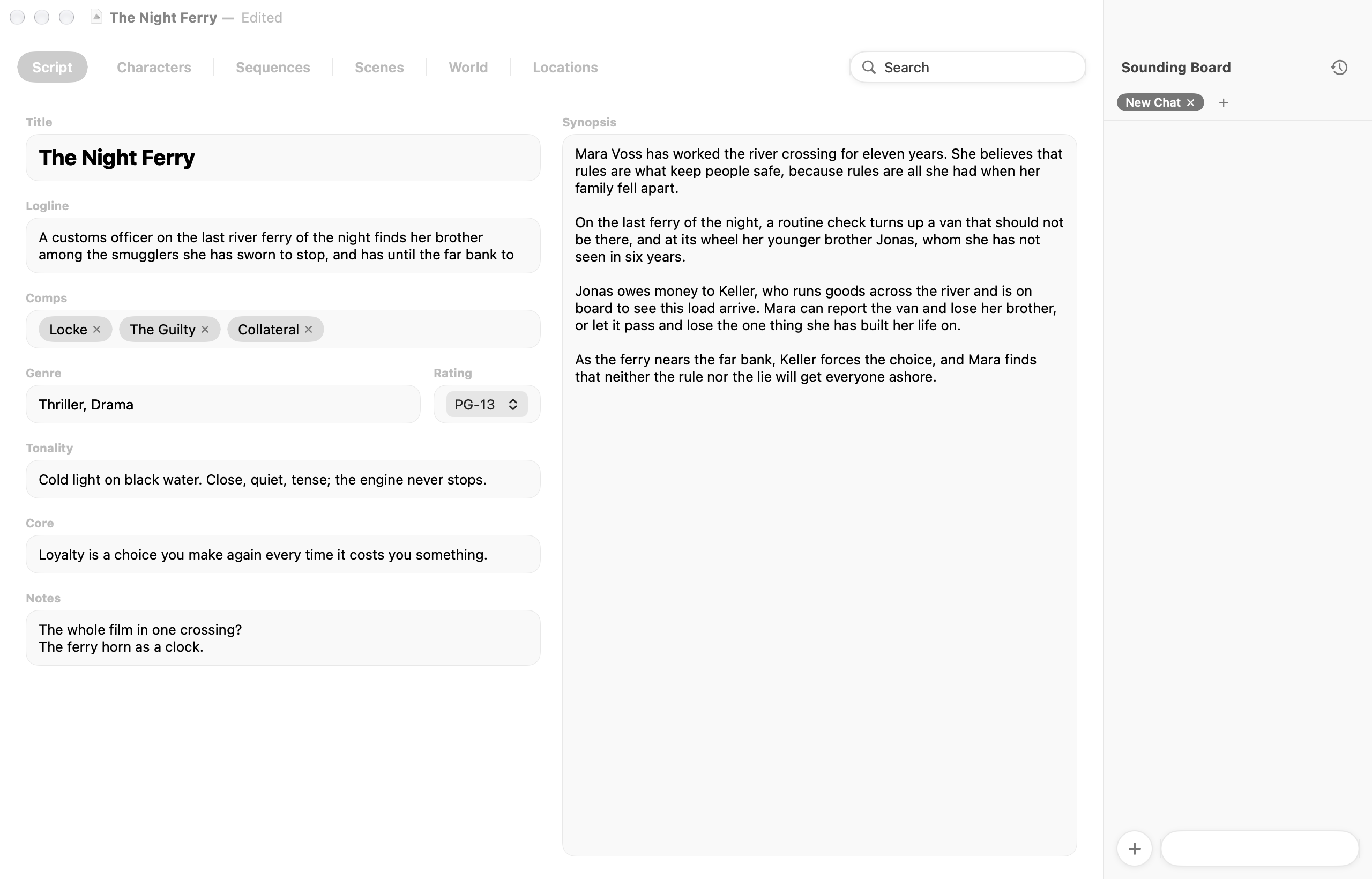
CtrlMovie Atlas project window on the Script tab, with the Sounding Board on the right

Version 1.0

Released 8 hours ago | 8.5 MB | Requires MacOS 14

Story development

  • Script: Title, logline, comparable titles, genre, rating, tonality, core, notes and synopsis.
  • Characters: A canvas of characters with labelled relationships and notes. Each character has a profile with want, need, stakes, strengths, weaknesses, background and idiosyncrasies.
  • Character arcs: Every character starts with a Lie or a Truth. The arc pyramid shows the three arcs that can follow, with keywords you place between the outcomes.
  • Sequences: The story as a grid of four acts, twelve sequences and twenty-four beats, with one column for each arc the main protagonist could take. Tips in the empty cells suggest what each beat does.
  • Scenes: A branching canvas of scenes and links, with up to five options per scene, set-variable nodes, if clauses, notes and time markers.
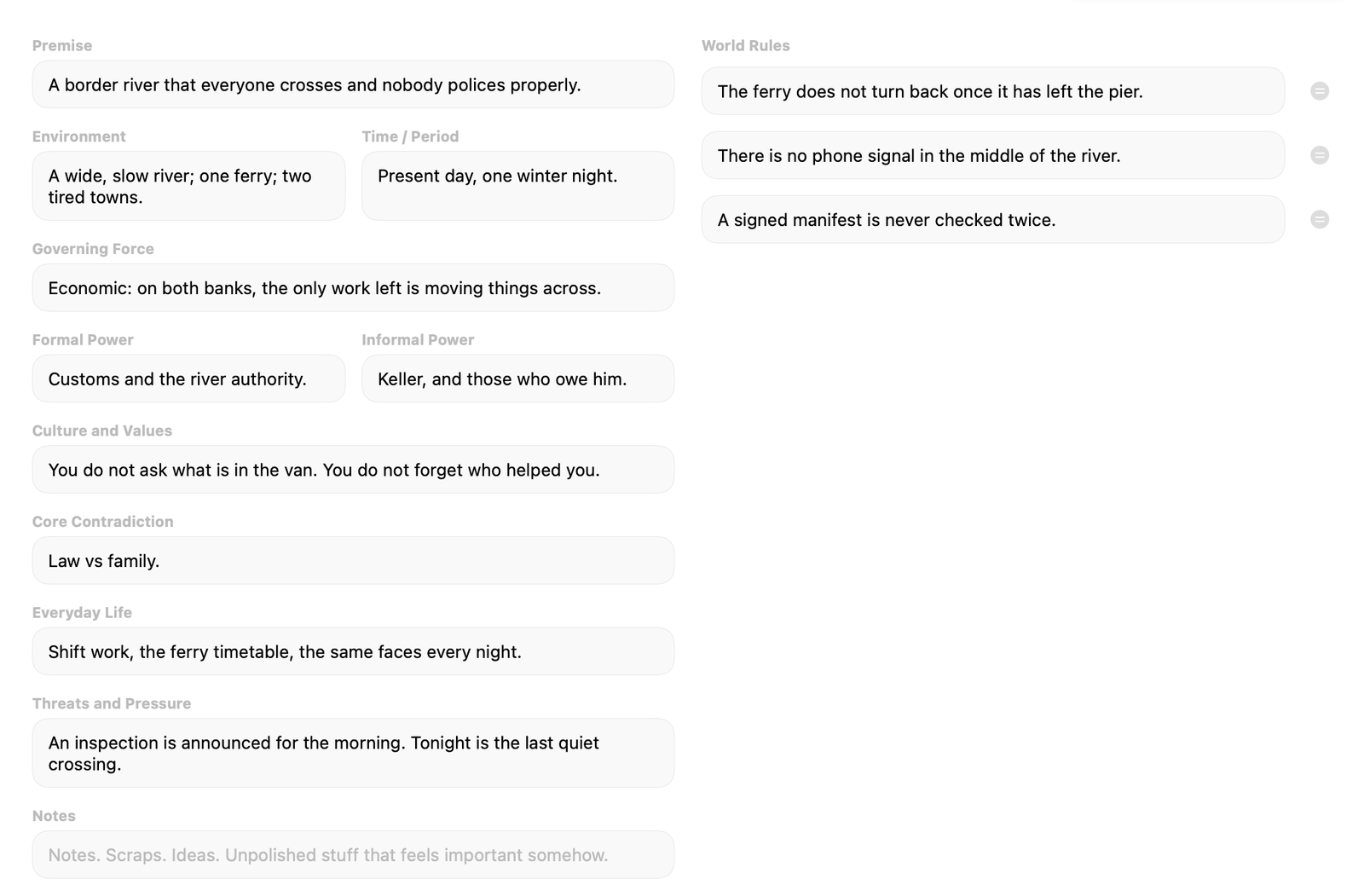
  • World: Premise, environment, period, power, culture, core contradiction and everyday life, plus a list of world rules.
  • Locations: The places of the story with their function, symbolism and specifics.

Sounding Board

  • Optional AI assistant that reads the open project, answers questions about the story and suggests text for any field.
  • When asked, it works on the project itself: characters, links, scenes, locations, sequence cells and world rules.
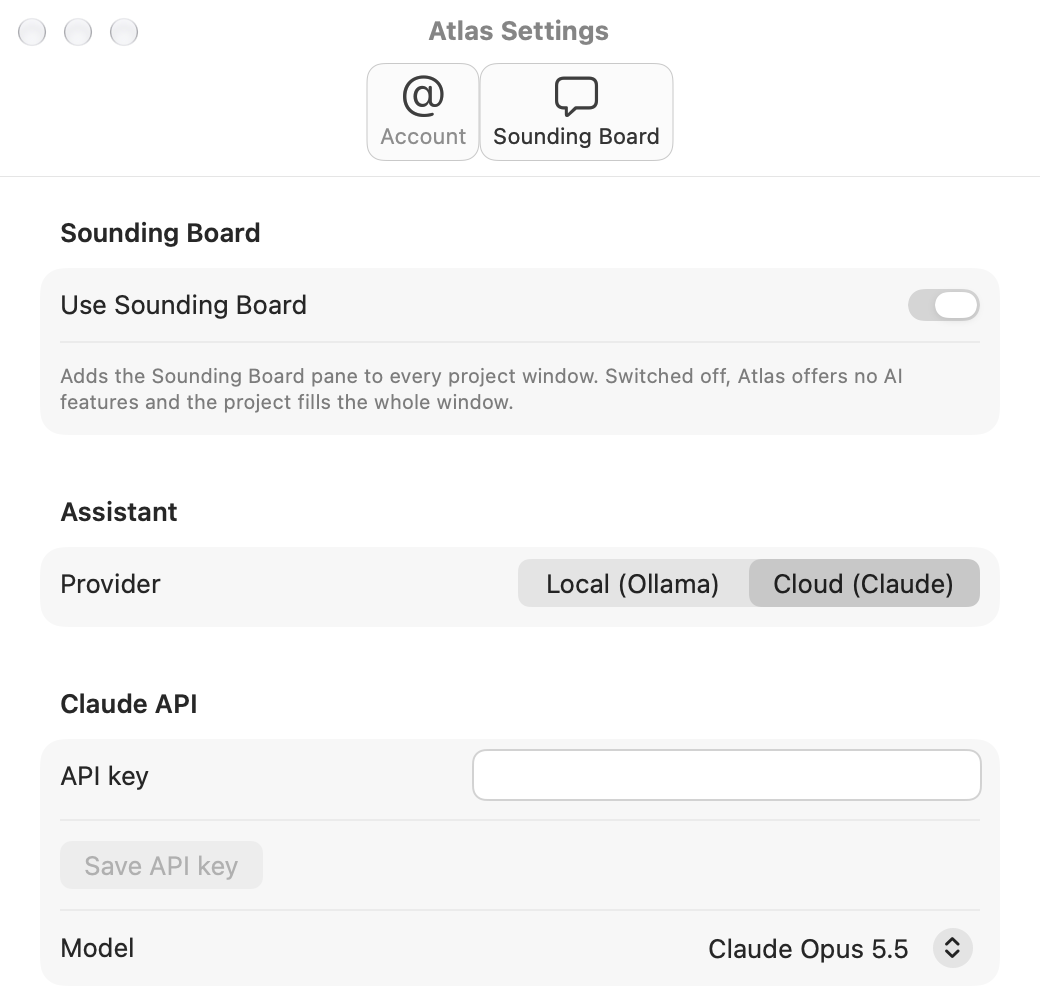
  • Runs locally with Ollama or in the cloud with Claude. Off until you switch it on in Settings.
  • Standing instructions for your own rules; images and PDFs as attachments.
  • MCP server lets Claude Desktop or Claude Code work on the frontmost project.

Working with projects

  • One .ctrlatlas file per project, including the Sounding Board chats.
  • Search across every tab, with match counts on the tabs.
  • Detach a tab into a window of its own, for example on a second screen.
  • Bold and italic in text fields; zoom for the whole window.
  • An Atlas project can be linked in CtrlMovie Creator as the knowledge base of its Sounding Board.
Contact us Full Version History
Download

Demo Content

May include samples projects, manuals and documentation.

One project. The whole story.

A project window has one tab for each part of the story: Script, Characters, Sequences, Scenes, World and Locations. Everything is kept in a single file that you can mail, share or store like any other document.

Characters and how they relate

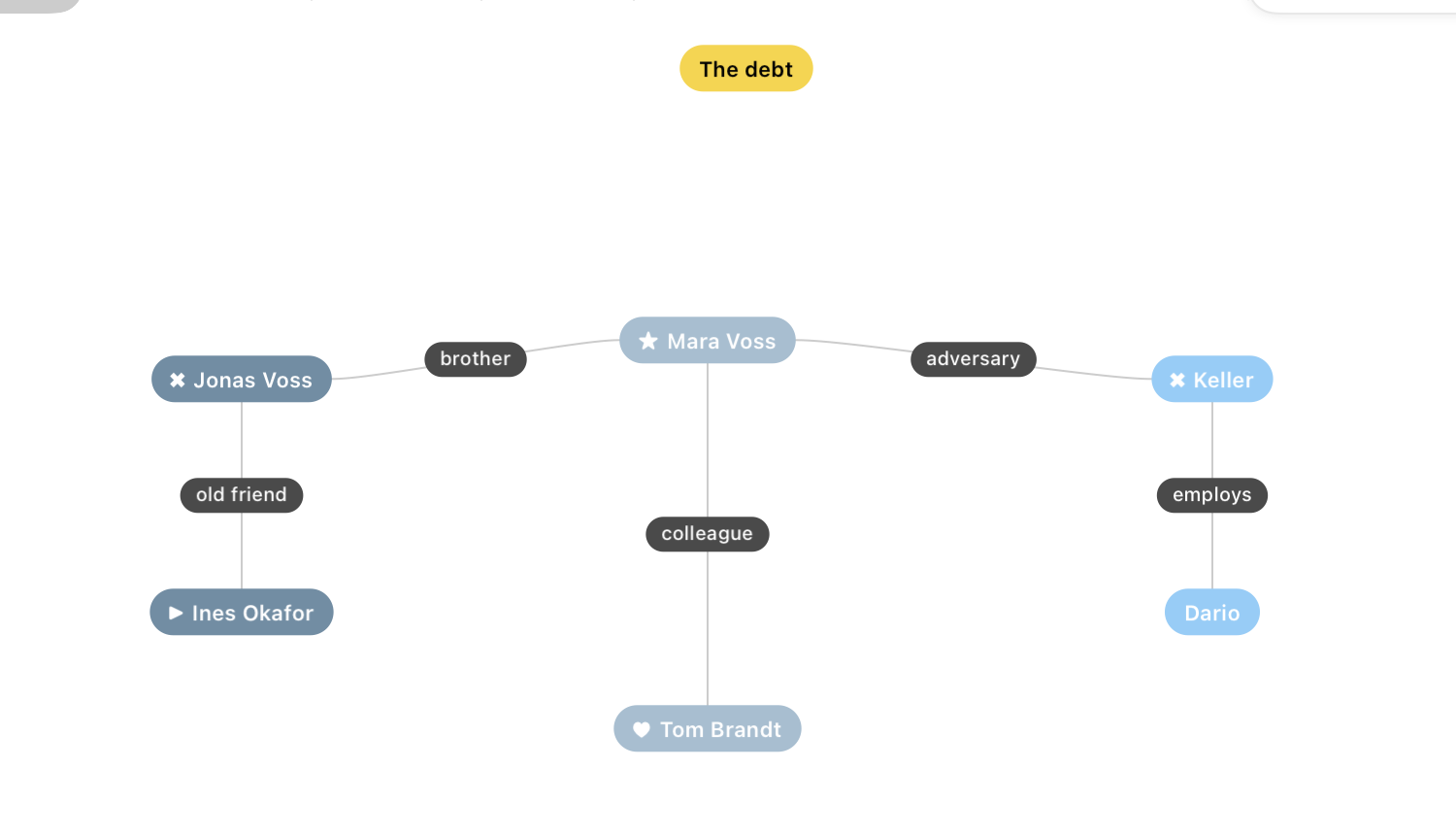
Characters sit on a canvas as coloured capsules. Arrange them, link them to show how they relate, label the links — friend, rival, mother — and pin notes beside them.

  • One main protagonist, with badges for sidekick, antagonist and love interest
  • Profiles with want, need, stakes, strengths, weaknesses and background
  • Notes for anything that is not a character: a theme, a faction, a question
Characters canvas with linked characters, labelled relationships and a note

Arcs built on Lie and Truth

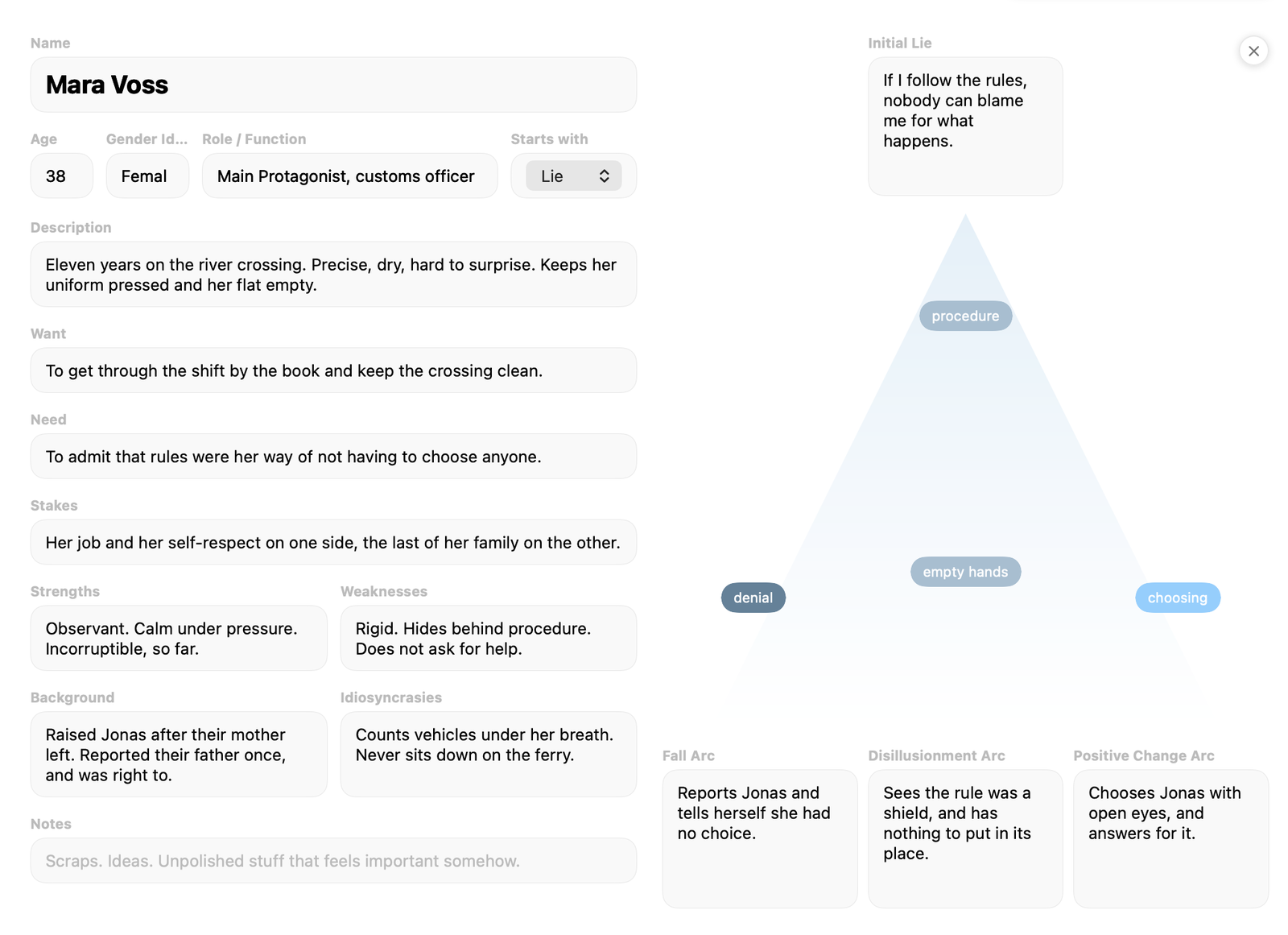
Every character starts with a Lie or with a Truth. The arc pyramid traces where that starting point can lead, and keywords placed inside it show which outcome the character leans towards.

  • Starting with a Lie: Fall, Disillusionment or Positive Change Arc
  • Starting with a Truth: Corruption, Flat or Fanatic Arc
  • Keywords you drag between the outcomes
Character details with profile fields and the arc pyramid

Structure in sequences and beats

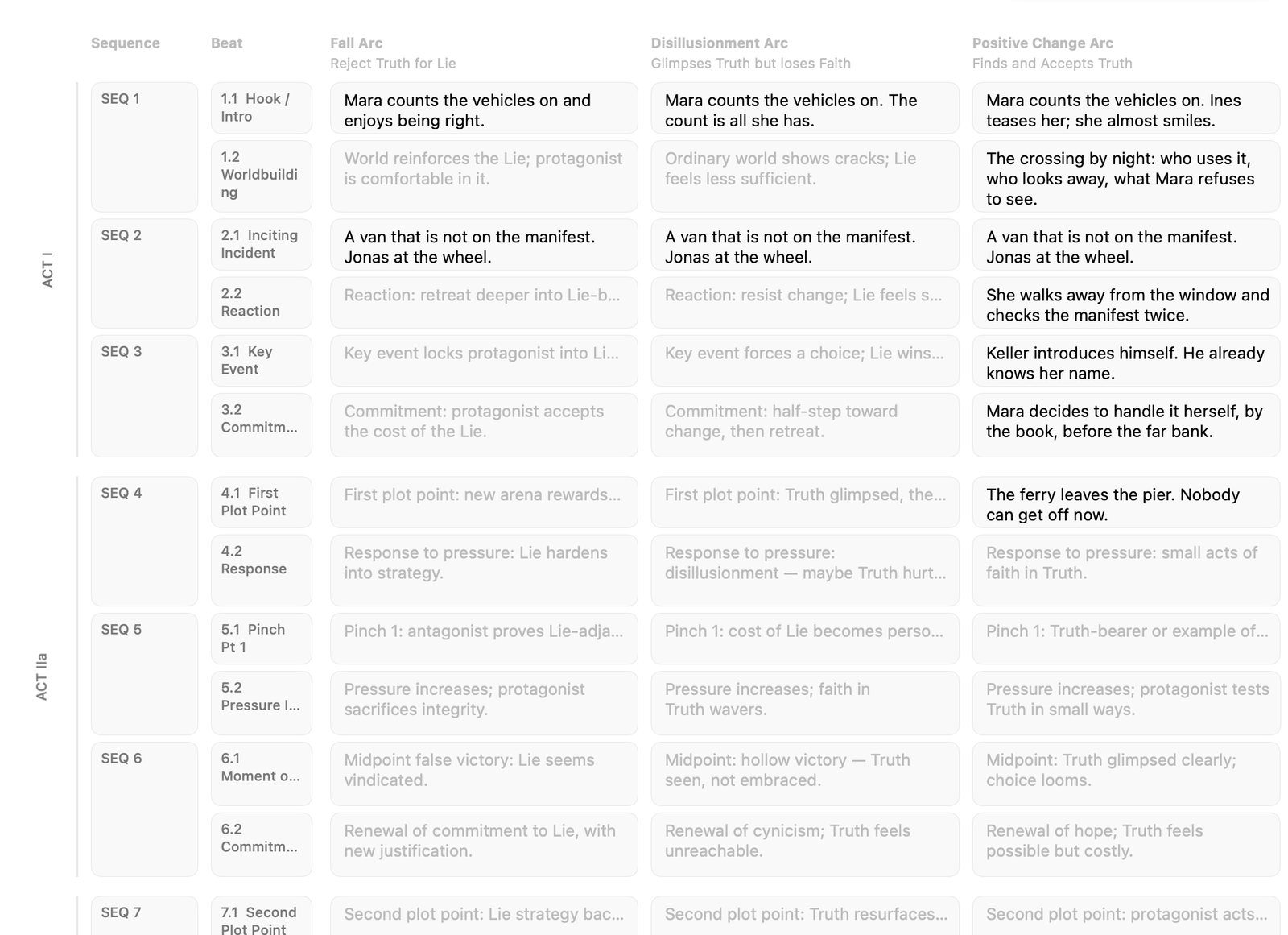
The Sequences tab lays the story out as a grid: four acts, twelve sequences, two beats per sequence. For every beat you note how the main protagonist's arc plays out — in three columns, one for each arc the character could take.

  • From 1.1 Hook / Intro to 12.2 Resolution
  • Tips in the empty cells suggest what each beat does for each arc
  • Columns follow the main protagonist's starting point
Sequences grid with acts, sequences, beats and three arc columns

Scenes on a branching canvas

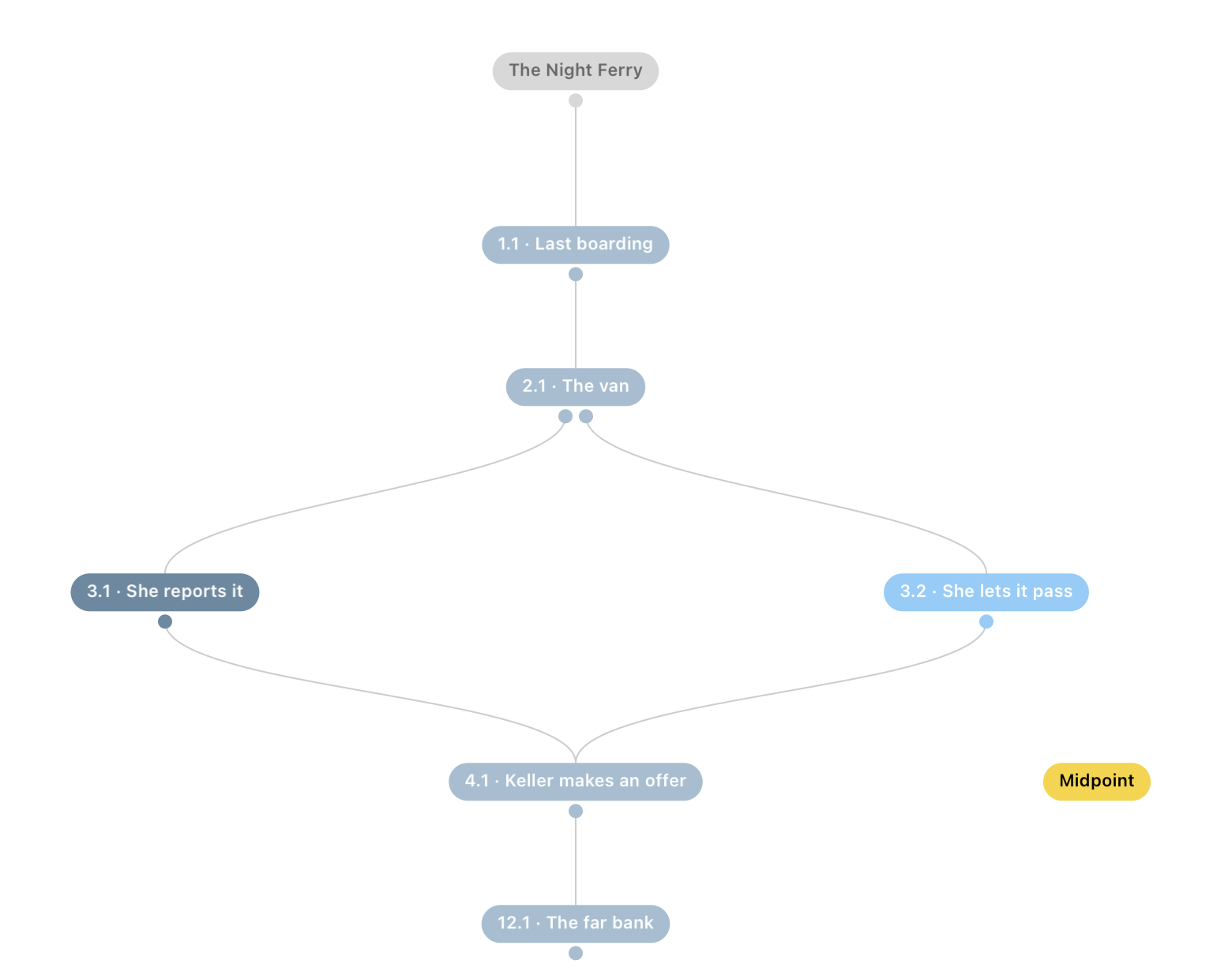
Lay the story out scene by scene. Links lead from one scene to the next; where the story branches, a scene gets several options. Set-variable nodes and if clauses note the logic, while time markers and notes keep the canvas readable.

  • Up to five options per scene
  • Scene number, place and time, title, characters and conflict / action
  • Character names completed from the Characters tab
Scenes canvas with a story that branches into two scenes and joins again

The world and its rules

Describe the world the story is set in: premise, environment, period, who holds formal and informal power, culture and values, the core contradiction, everyday life, threats and pressure. World rules state what is possible and what is not.

  • World rules as a list of single statements you can reorder
  • Locations with function, symbolism and sensory detail
  • One search across every tab of the project
World tab with the world fields on the left and the world rules on the right

An assistant that knows your project

The optional Sounding Board is an AI assistant beside the tabs. It reads the open project, talks it through with you and, when asked, writes into it: text for a field, characters on the canvas, scenes and their links, locations, world rules.

  • Off until you switch it on
  • Runs locally with Ollama or in the cloud with Claude
  • MCP server lets Claude Desktop or Claude Code work on the project
  • Chats, images and PDFs are saved with the project file
Sounding Board settings with provider selection

From first idea to finished outline.

Six tabs, one file. Work through them in any order.

01

Pin down the basics

Title, logline, comparable titles, genre, rating, tonality, core and synopsis.

02

Cast the story

Place characters on the canvas, link them and describe what each one wants and needs.

03

Shape the arcs

Choose Lie or Truth for each character and trace where the arc can lead.

04

Structure the beats

Fill the grid of acts, sequences and beats for each possible arc.

05

Lay out the scenes

Connect scenes on the canvas and add options where the story branches.

06

Hand over to Creator

Link the Atlas project to the Sounding Board in CtrlMovie Creator as the knowledge base for writing the script.

A native Mac app for story development.

Atlas is a document-based macOS app. It saves as you work, lets you go back to earlier versions, works offline once activated and keeps itself up to date.

Project file

.ctrlatlas

Structure

Structure in sequences and beats

Character arcs

Lie · Truth

Assistant

Claude · Ollama · MCP

Start developing your story.

Atlas is licensed per production. Get in touch and we'll set up your license and get you and your team started.

Contact us