iPhone · iPad · Android CtrlMovie Mobile

You decide. The film follows.

CtrlMovie turns a film into a shared adventure. In the cinema, the app is your controller: you scan the code on the screen, vote on what the hero does next and shape the story together with the whole audience. Afterwards it remembers every ending, achievement and collectible you have found.

Available on App Store Available on Google Play

Version 5 · phones and tablets · 16 languages
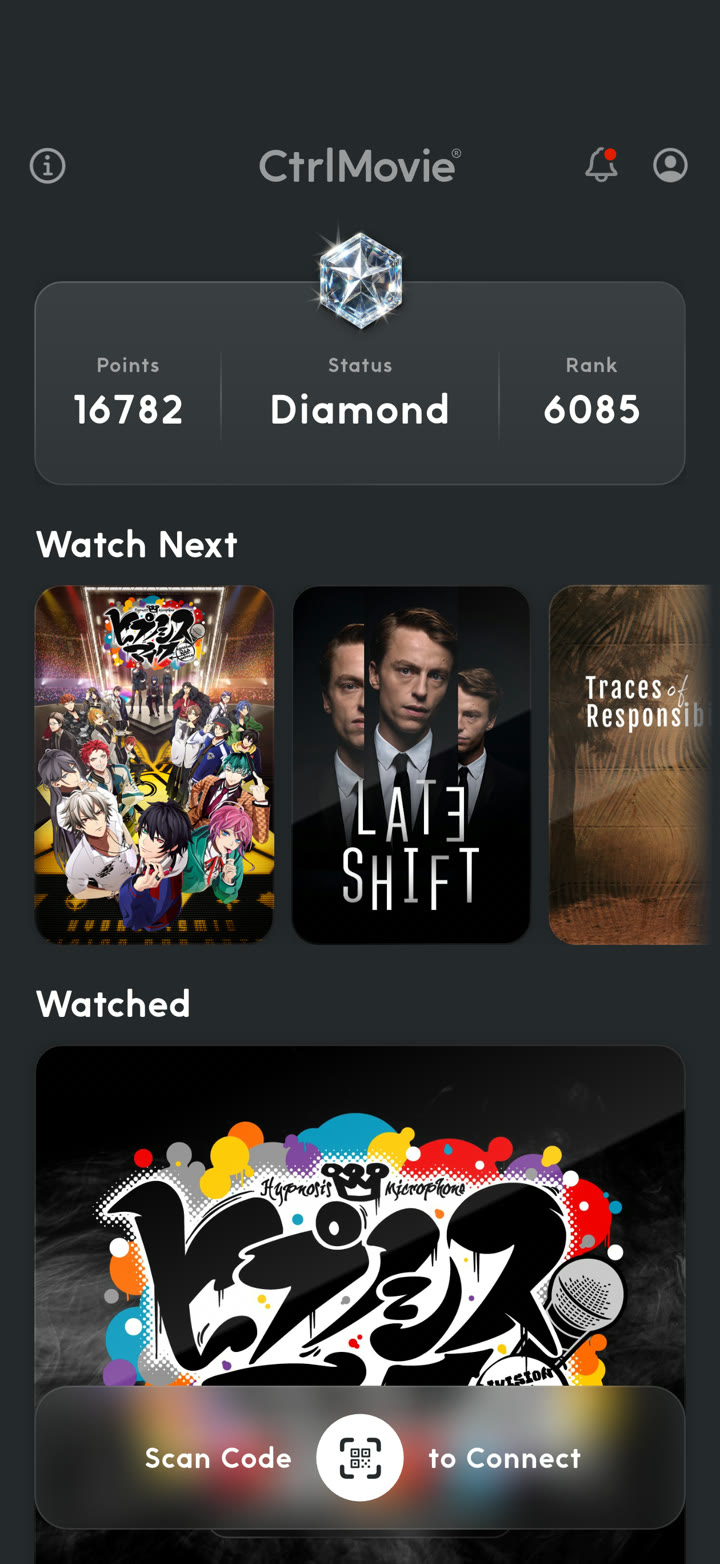
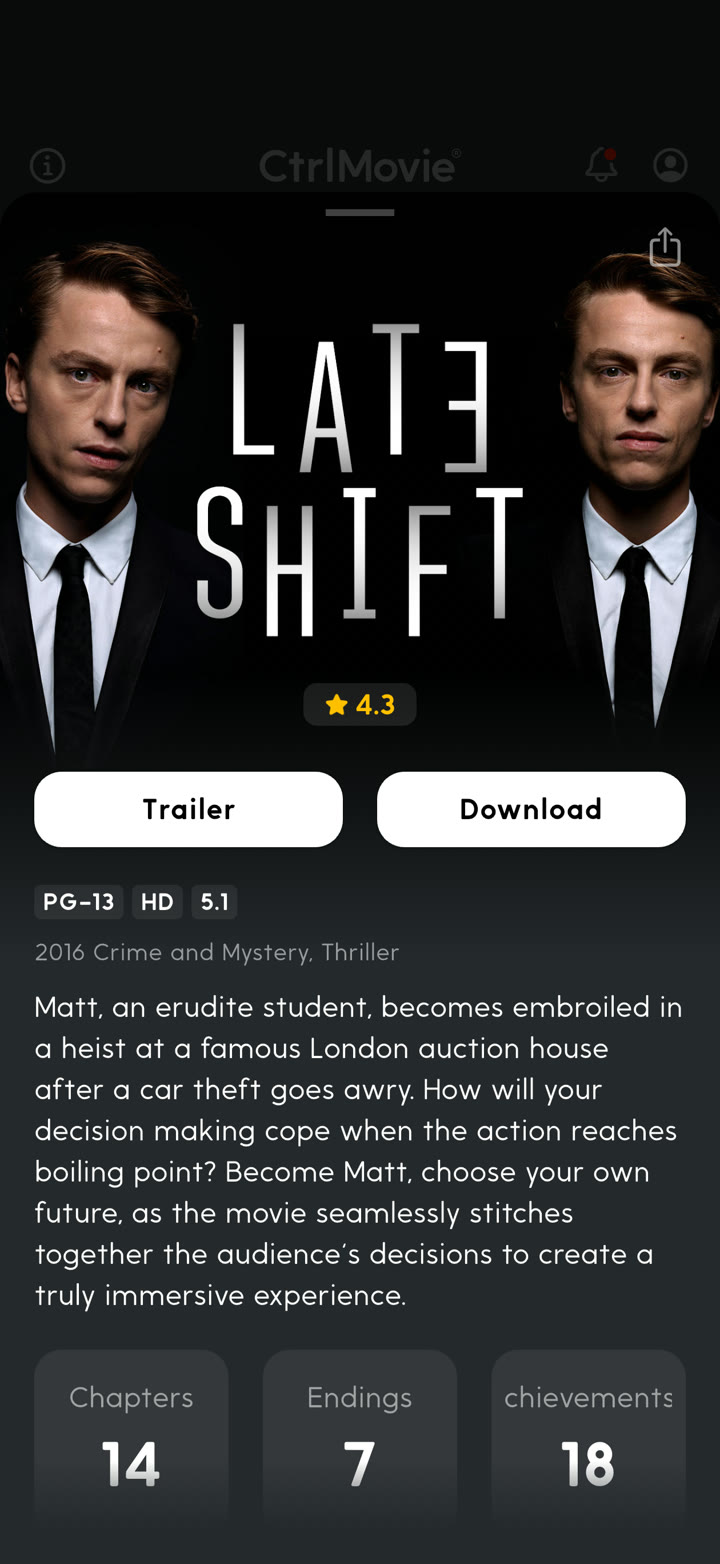
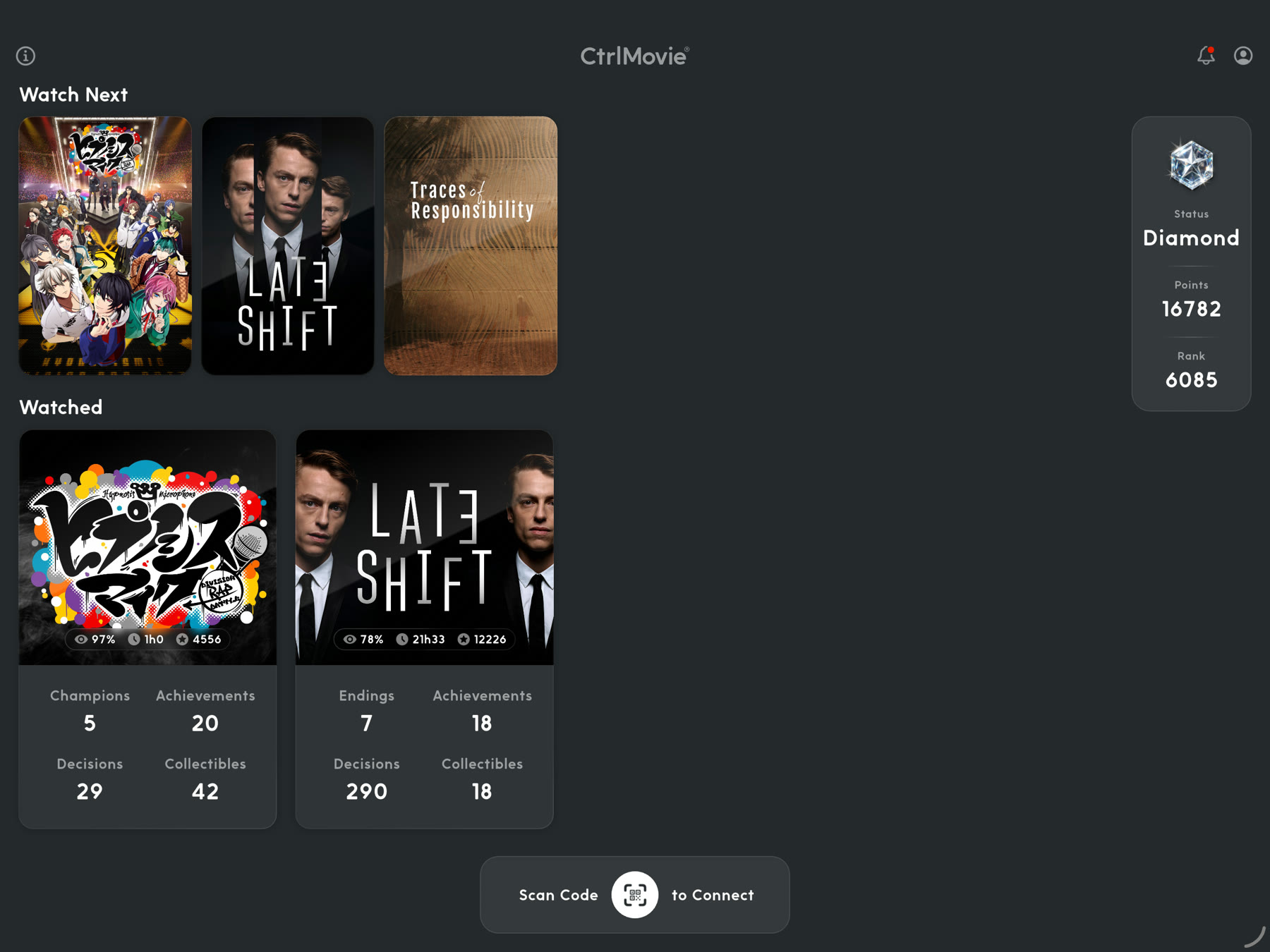
Home screen with status, points and rank, the Watch Next row and the Watched list Film page of Late Shift with trailer and download buttons, synopsis and the number of chapters, endings and achievements

In the cinema

An interactive screening needs no extra hardware in the seats. Everyone brings their own phone.

01

Scan the code

A QR code is on the cinema screen before the film starts. Scan it with the app to connect to the screening. Sitting in the back row? Zoom in with the camera, or type the code instead.

02

Vote on the story

Whenever the hero has to decide, the choices appear as buttons on your phone. Tap yours, and the film follows the audience.

03

Keep what you found

After the credits the app shows how your choices led to the ending. The ending, your achievements and your collectibles stay in your account.

Between screenings

The app is also where your interactive films live once the lights come back on.

Home screen with status, points and rank, the Watch Next row and the Watched list

Everything you have seen, on one screen

The home screen shows what to watch next and every interactive film you have already been part of. Your status, points and worldwide rank sit right at the top.

Film page of Late Shift with trailer and download buttons, synopsis and the number of chapters, endings and achievements

Get to know a film before you go

Every film has its own page with trailer, rating and synopsis, and with the numbers that matter for an interactive film: how many chapters, endings and achievements are waiting for you.

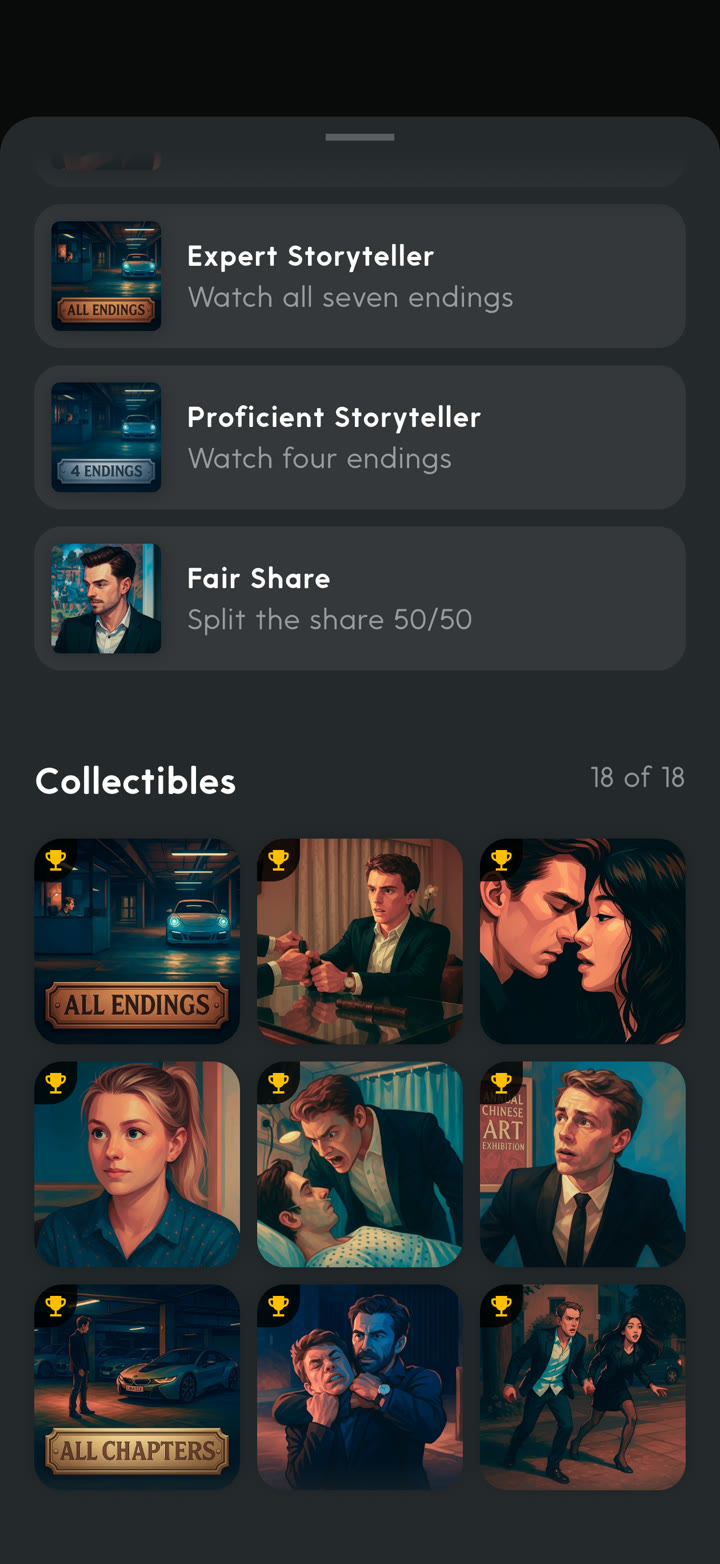
Achievements list and a grid of collectible artworks

One screening is never the whole story

The app keeps count of what you have unlocked in each film: endings reached, decisions taken, achievements earned and collectibles found. Some collectibles stay hidden until you discover a certain plot point.

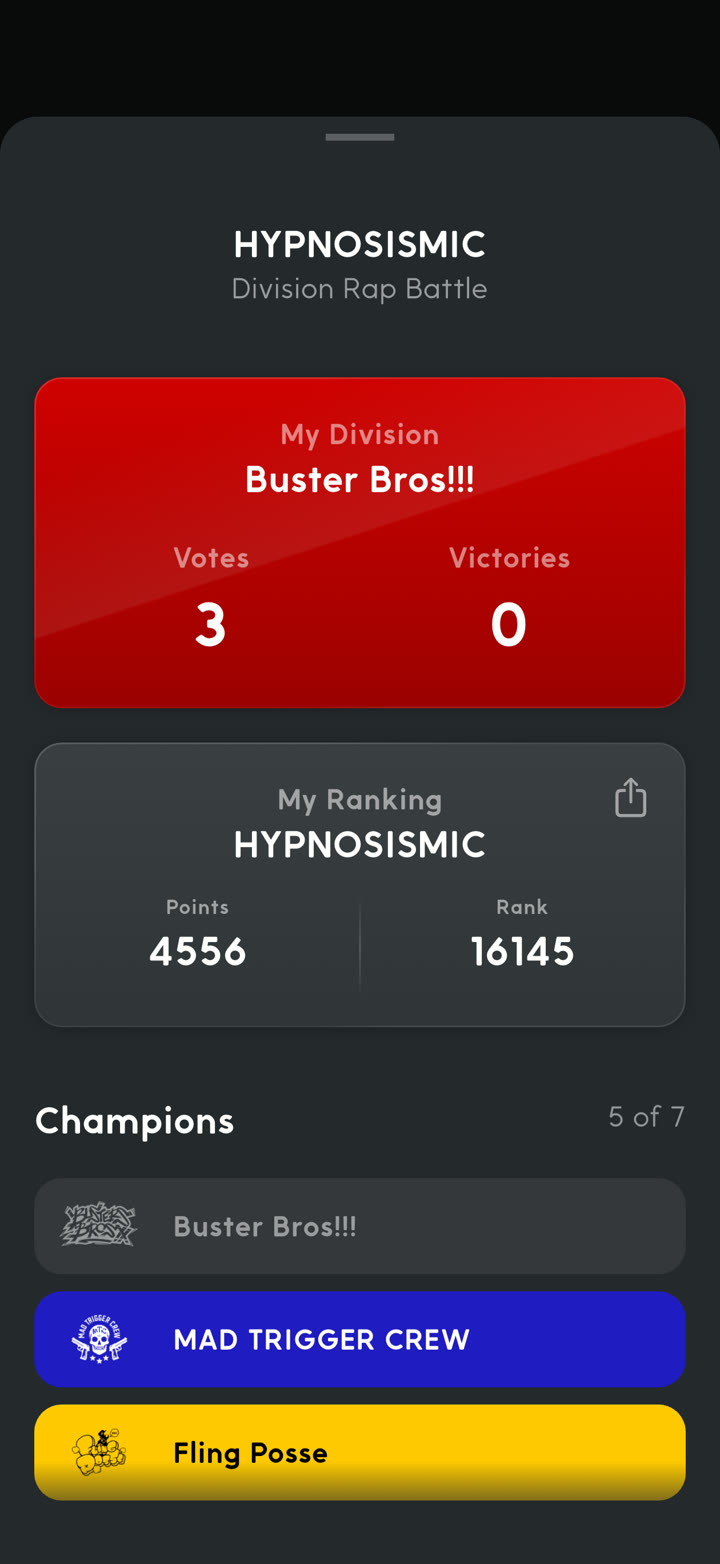
Hypnosis Mic page with the chosen division, votes and victories, the personal ranking and the list of champions

Made for every film, not just one

Films bring their own way of playing along. In Hypnosis Mic -Division Rap Battle- the audience votes for the winner of each battle, and the app tracks your division, your votes, the victories and your ranking among all fans.

What audiences say

From reviews on the App Store and Google Play.

“It gets easier to use with every update. Thank you for offering such a wonderful experience as interactive film.”
App Store · Japan · 2025
Translated from Japanese
“The screening was so much fun, and the fact that the audience’s votes influence the film adds a whole other dimension!”
App Store · France · 2025
Translated from French
“A film experience like never before, where you truly become an interactive participant! Simple to operate, with an interface that feels intuitive.”
App Store · Japan · 2025
Translated from Japanese
“Didn’t demand anything extra of you like a mandatory sign-in or phone number link, just install and play!”
Google Play · 2026
“Super production, super idea!! So far I have seen 3 of 7 endings and it makes me more curious every time!! I love it!!”
Google Play · 2022
Translated from Spanish
“The screen stays on for the whole film, everything is recorded properly, and it is easy to use!”
App Store · Japan · 2025
Translated from Japanese

At home on tablets

Version 5 brings full tablet support. On an iPad or Android tablet the app uses the room it gets: your films side by side with their statistics, and your status always in view.

CtrlMovie app on a tablet with Watch Next, watched films with their statistics and the status panel

At a glance

Platforms

iPhone · iPad · Android phones and tablets

Languages

16, including English, German, Japanese, Korean and Chinese

Sign in

Email · Apple · Google

Joining a screening

QR code with camera zoom · typed code

Notifications

Achievements · collectibles · specials

Status levels

Bronze · Silver · Gold · Platinum · Diamond

Bring it to your next screening.

Install the app before you take your seat, and you are ready when the code appears on the screen.

Available on App Store Available on Google Play