Author branching cinema.

From first scene to final master.

CtrlMovie Editor is the professional macOS authoring tool for interactive, branching-narrative films. Design the story graph, script every branch in Lua, edit the timeline, simulate the audience experience, and produce a distribution master for cinema, mobile, game console and CtrlMovie streaming — all in one document.

macOS 13 or later · Apple silicon & Intel · Licensed per production
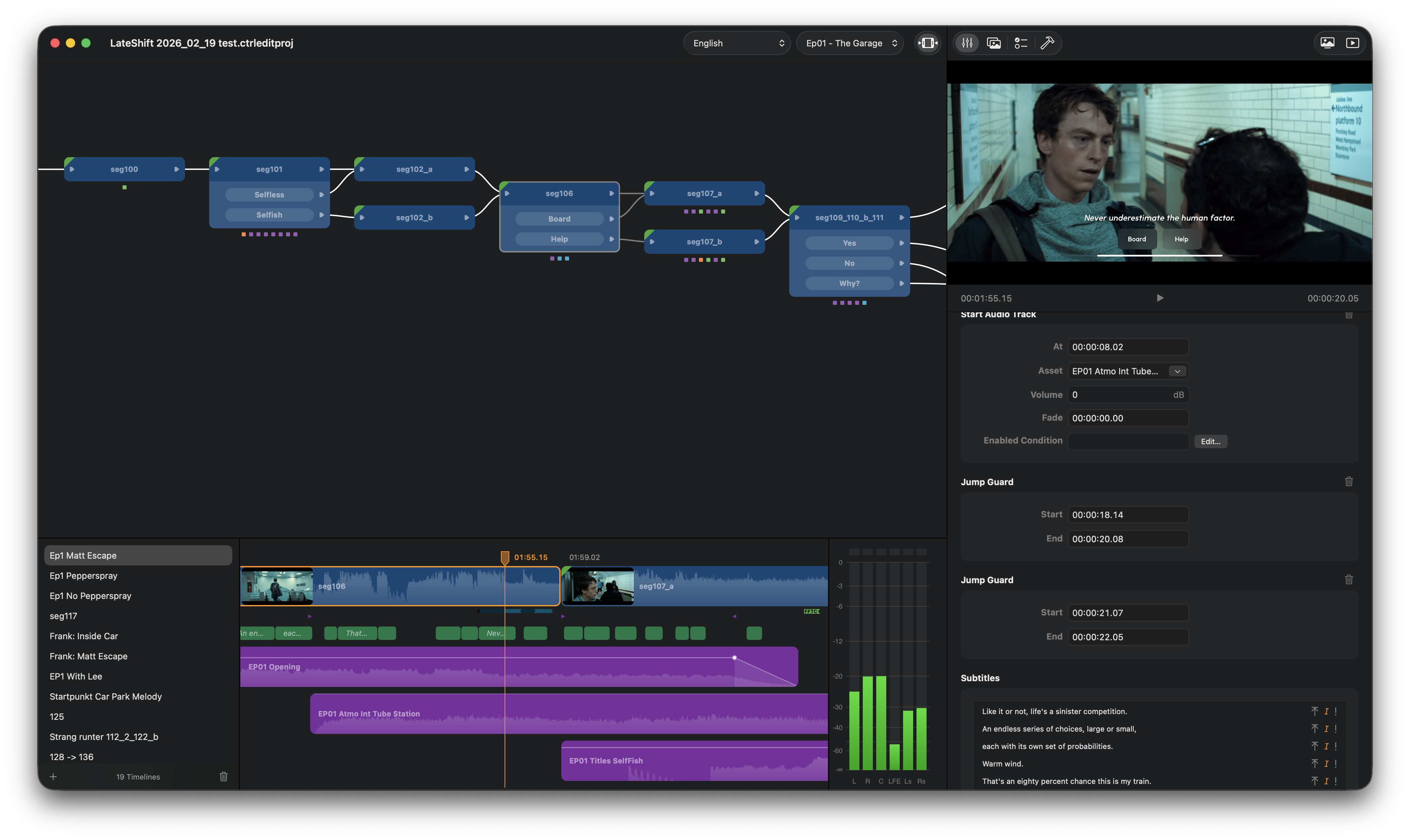
CtrlMovie Editor main window with story graph, timeline, properties and player

Version 4.4

Released 1 month ago | 65.5 MB | Requires MacOS 12.4

New Features

  • Timeline export: Export an audio-visual snapshot of the timeline with optional watermark and selection highlighting.
  • Autoscrolling timeline: Timeline scrolls automatically during playback.
  • Locking timelines: Timelines can be locked to prevent accidental edits.
  • Copy & paste episodes: Copy episodes including traits, collectables, and variables; pasted episodes are stamped with the current date.
  • Default targets for episodes: Set default targets per episode directly in the editor.
  • Simulator enhancements: Added shuffle mode, timecode overlay, and a video display mode toolbar button.
  • Skippable segment switching: Skippable queuing for segment switches in single-player mode.
  • Encrypted asset packs: Support for encrypting asset packs.
  • Asset subfolder management: Assets are automatically organized into episode subfolders; conflicts are surfaced; folders update when episodes are renamed or created.
  • Collectable validation: Added collectable validation tests.
  • Keyboard timeline editing: Move audio tracks and subtitles with arrow keys.
  • Audio unavailable label: Preview shows a label when audio is unavailable.
  • Play/pause toggle: Play/pause no longer requires timeline focus.

Bug Fixes

  • Fixed segment switch behavior and audio processing.
  • Fixed preview and simulator playback issues.
  • Fixed first-frame rendering when skipping to a segment; improved shadow rendering.
  • Fixed 29.97 timecode handling; improved surround sound audio file handling.
  • Fixed audio value change handling.
  • Fixed detached preview window not being removed on last document close.
  • Fixed fullscreen simulator and external screen window state.
  • Fixed Show in Finder for assets.
  • Fixed various validation issues (collectables, key window).

Improvements

  • Timeline continuation popup filters to relevant info only.
  • Play-through migration for older content; segments without a button group auto-marked as play-through.
  • Improved simulator timecode display and export quality.
  • UI refinements (trash buttons, macOS Tahoe asset chooser, deselection behavior).
Contact us Full Version History

One document. The whole pipeline.

Editor unifies the parts of interactive storytelling that other tools split across editors, spreadsheets and scripts: story logic, picture, audio, subtitles, localization, validation and mastering.

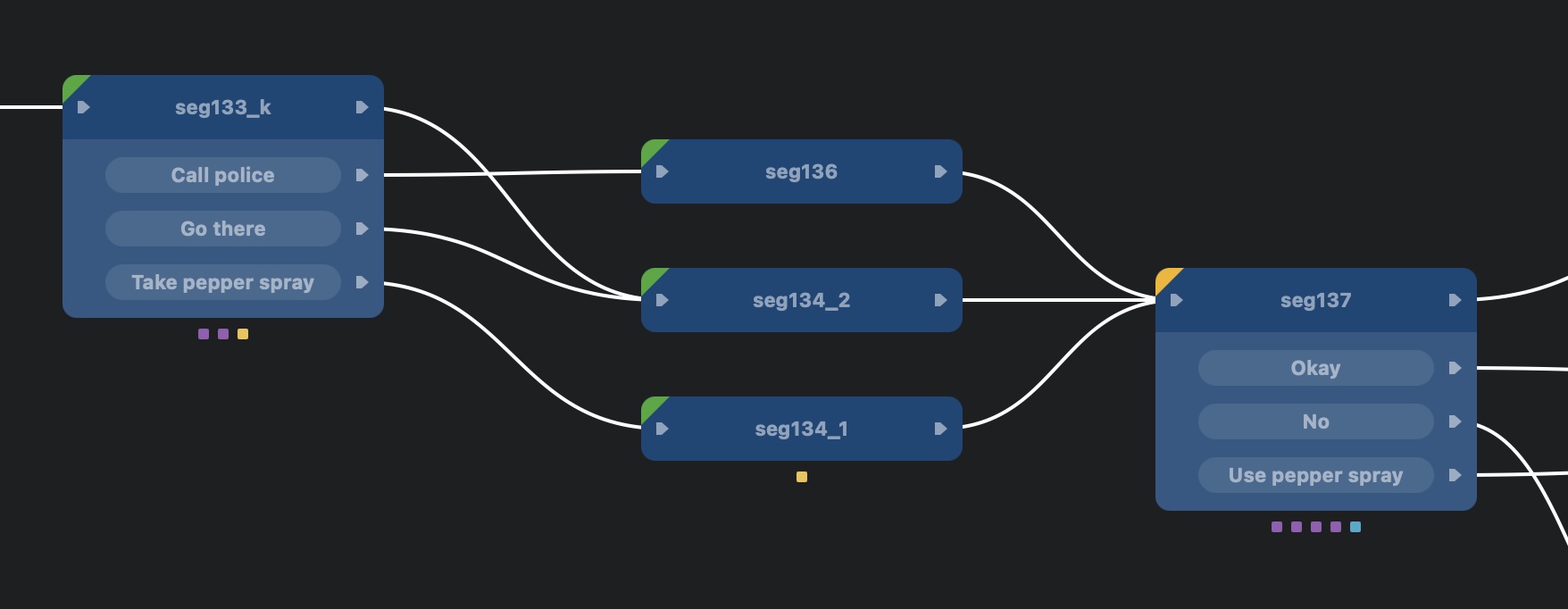
Visual story graph

Lay out segments, branch points and episodes on an infinite canvas. Connect outputs to targets with a drag, drop branch points to fork the story, and group segments into episodes — including chapters that can be unlocked progressively or sold as in-app purchases for mobile and console rollouts.

  • Branch points with per-condition outputs
  • Status indicators for incomplete, warning, ready
  • Copy/paste full sub-graphs between projects
Story graph with connected segments and branch points

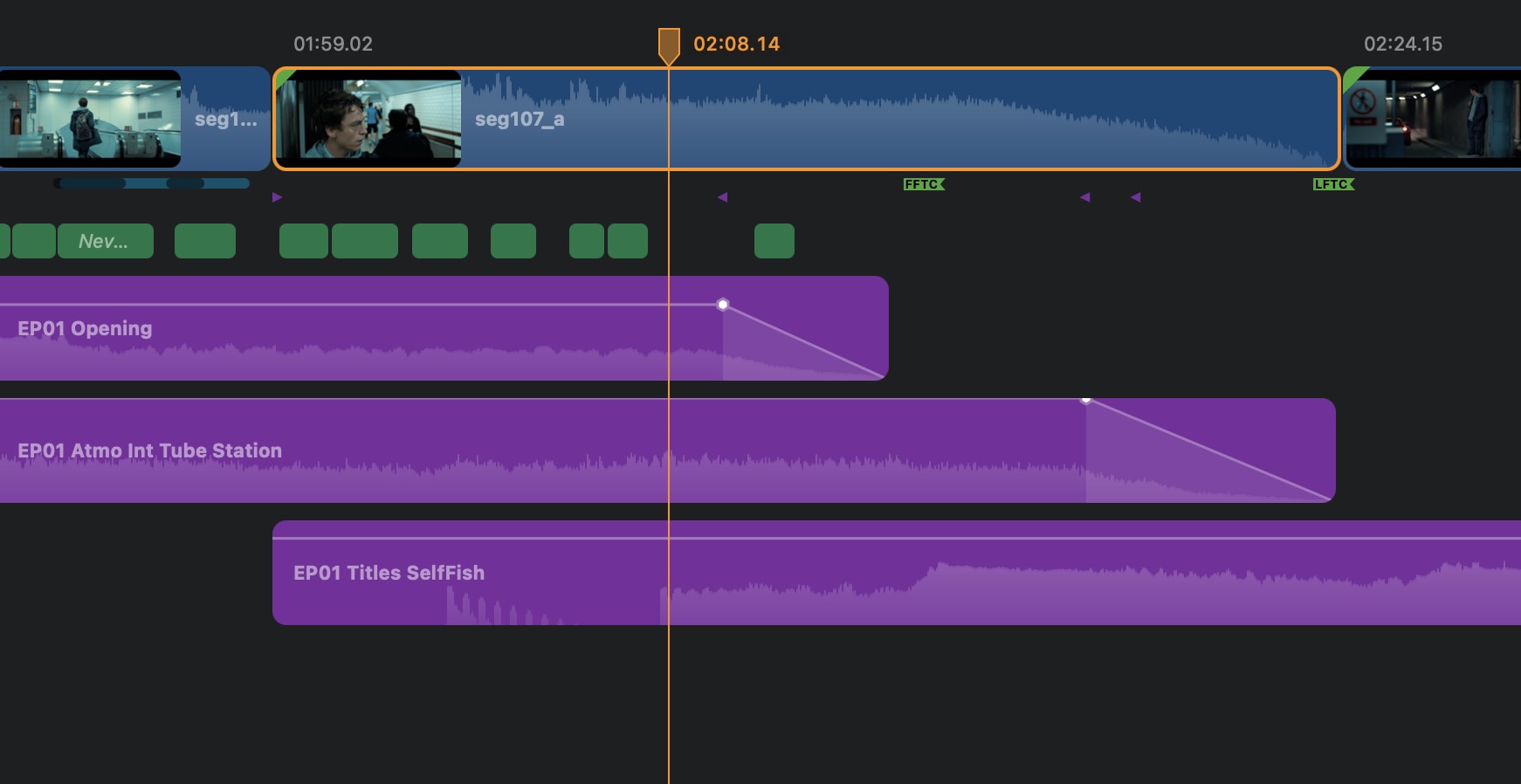
Frame-accurate timeline

Each segment carries its own timeline: multi-track audio with waveforms, subtitles, decision bars, markers and runtime actions. Edit with keyboard arrows, autoscroll during playback, lock finished timelines to prevent accidents.

  • Multi-channel audio with per-track volume curves
  • Decision time bars with jump guards and "always play"
  • Inline actions: variable changes, collectables, audio cues
Timeline with audio tracks, waveforms, subtitles and actions

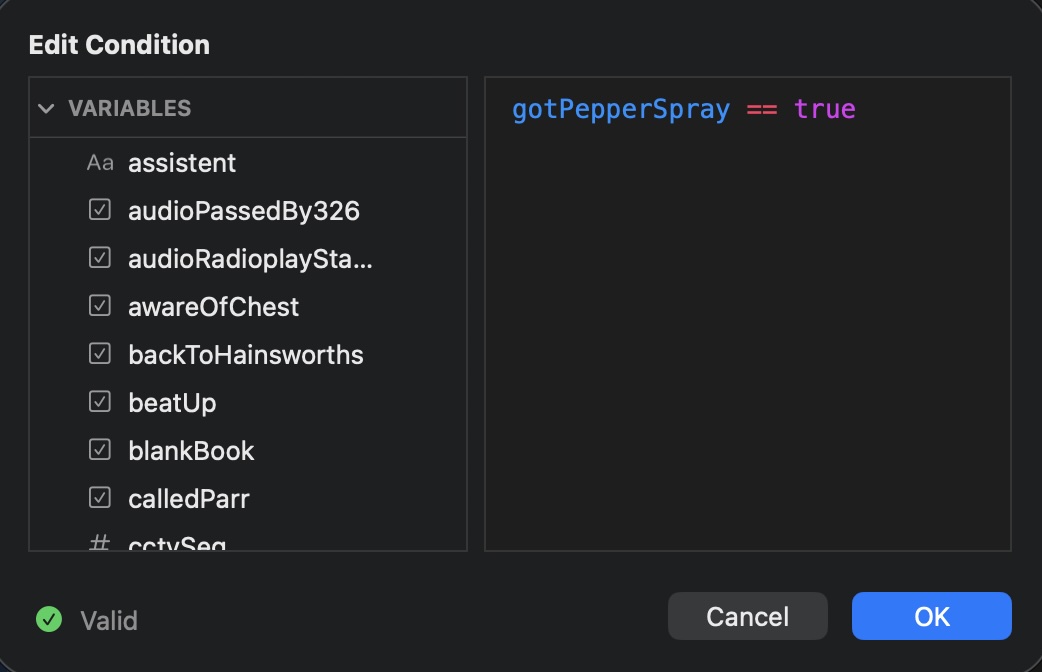
Integrated Lua runtime

What makes a CtrlMovie interactive in the first place: a Lua scripting runtime that runs inside every player — desktop, mobile, console and theater. Every branch, decision and action can be scripted, so the story can react to anything you can express in code.

  • Project-wide variables, traits and collectables
  • Lua conditions on every branch and action
  • Inline editor with syntax highlighting and validation
  • Same runtime in the editor's simulator and the shipped player
Properties panel with scripted decision conditions

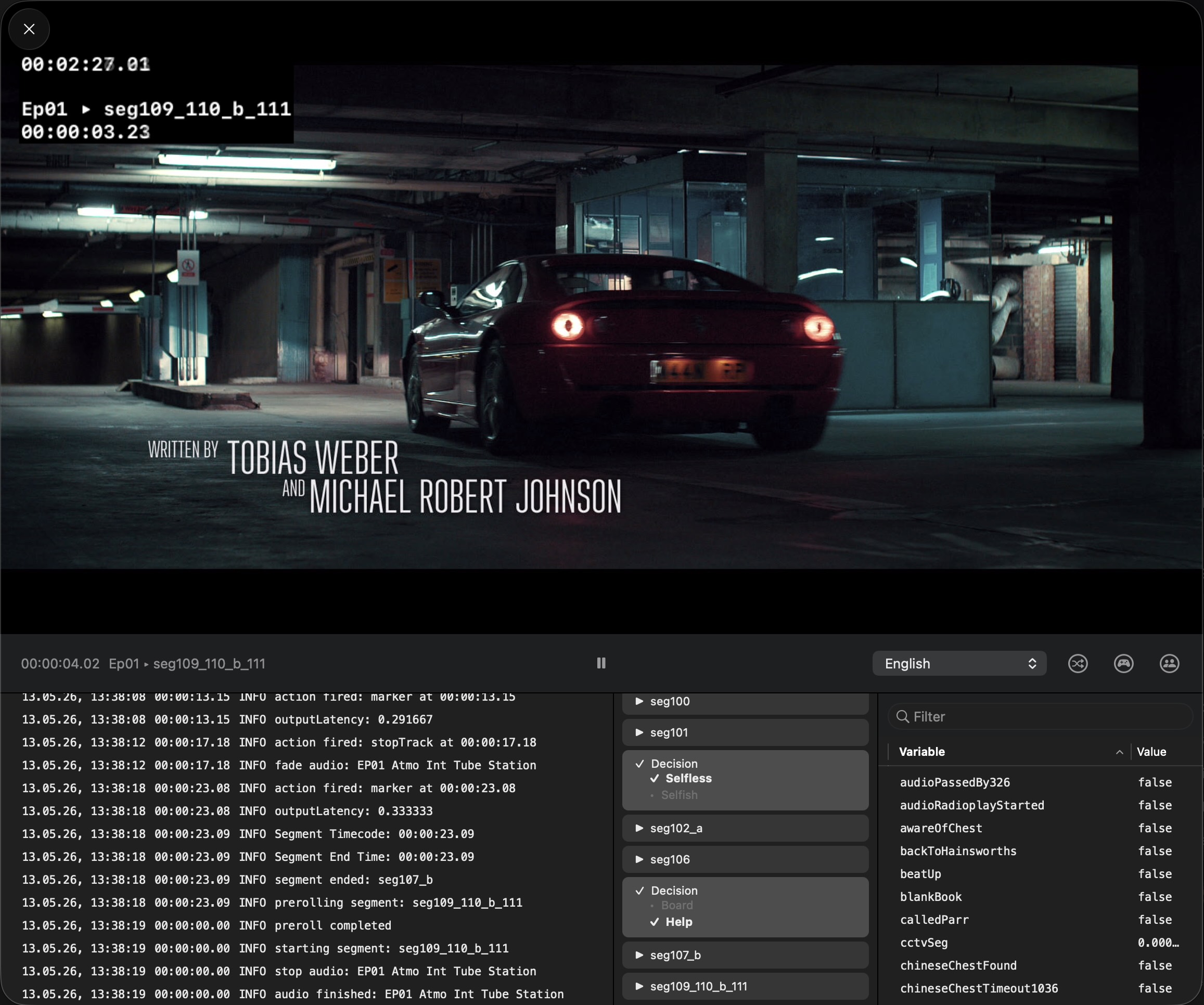
Simulate the whole audience

Play the project end-to-end inside the editor with the same playback engine your shipped app will use. Drive decisions yourself, shuffle for replay, or scan the QR code to run a full multiplayer session from real phones — no build required.

  • Single-player and multiplayer modes
  • Mediablock simulation for theatrical pre-flight
  • Session event log, exportable as PDF
Multiplayer simulator with QR code and event log

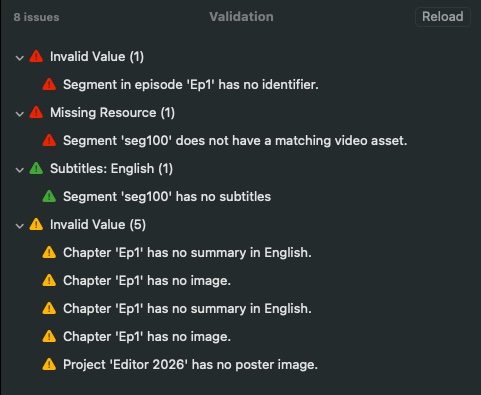
Catch problems before the audience does

A continuously running validation engine inspects every segment, condition, asset and subtitle. Grouped issues link straight to the object that needs attention, so the project is always ship-ready.

  • Missing assets, dead ends, unreachable branches
  • Lua condition syntax + variable scope checks
  • Subtitle timing, language coverage, codec compatibility
Validation window with grouped error messages

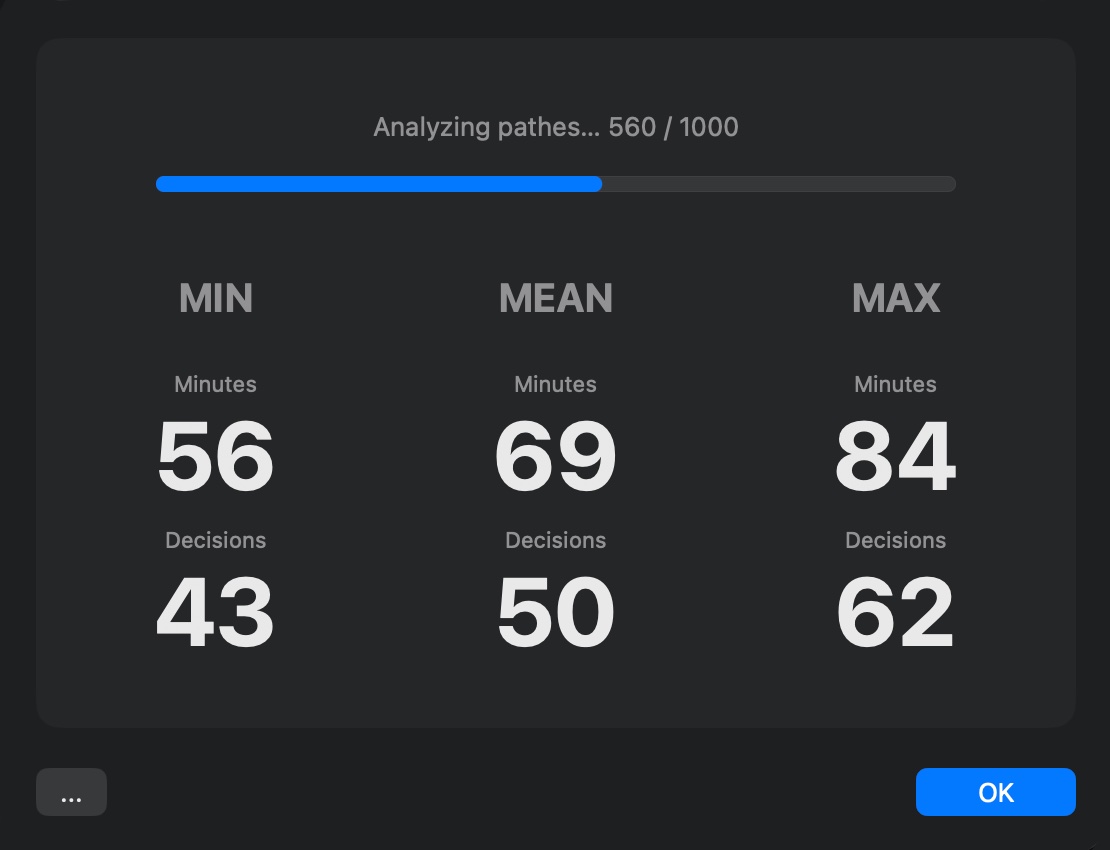
Know your story's shape

The composition analyzer walks every path through the graph and reports reachability, runtime min/mean/max, and ending probabilities. Useful for festivals, scheduling, and finding the dead branches you didn't know you had.

  • Path enumeration with constraint solver
  • Ending probability distribution
  • Export results as JSON / CSV
Analyzer result with min, mean and max runtime

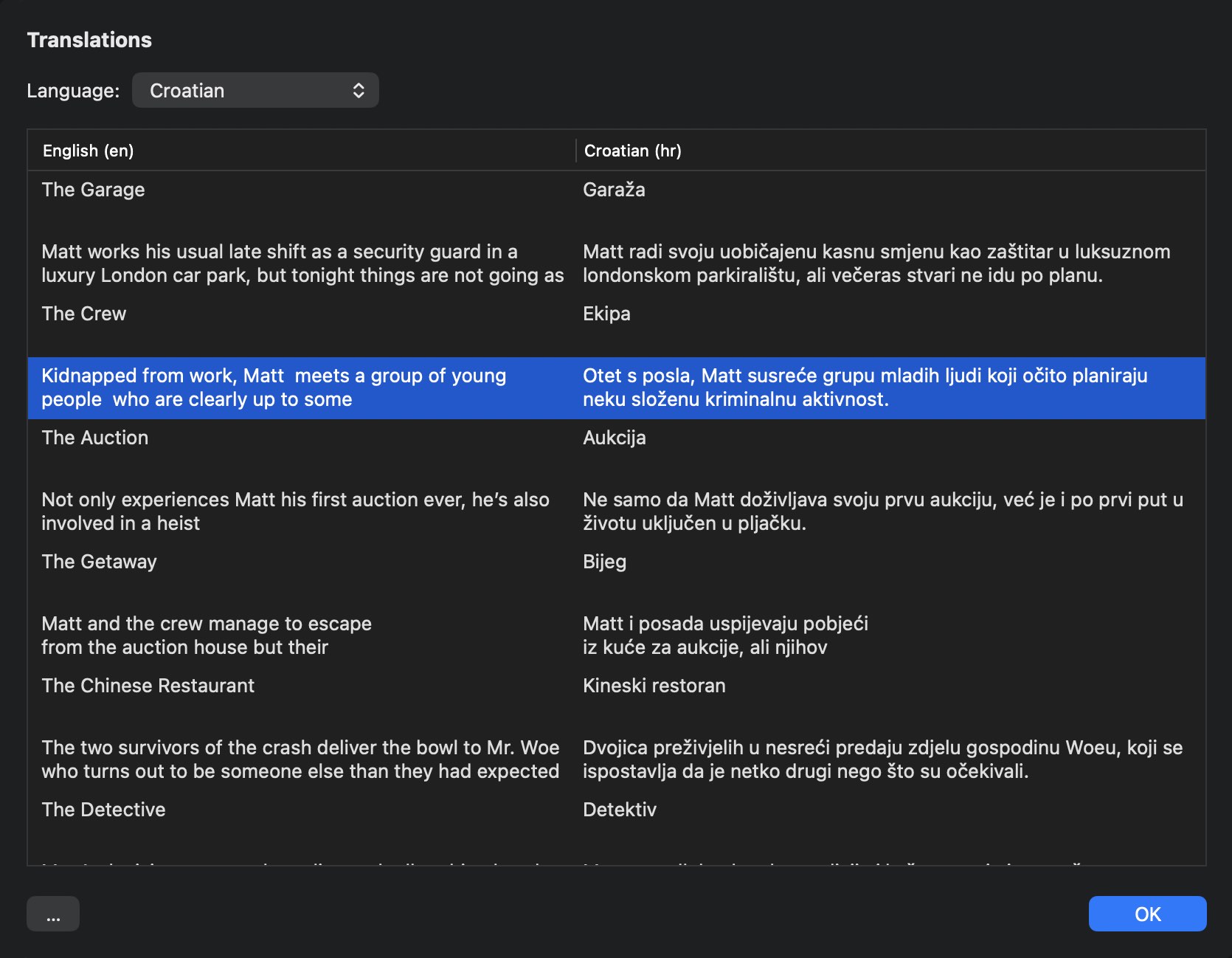
AI supported translation

Dedicated translation and subtitle sheets let you author every language directly in the project — no spreadsheets to chase, no re-import step. Coverage, fonts and per-language subtitle styles stay consistent across episodes.

  • Translation sheet for UI strings and decisions
  • Subtitle sheet with side-by-side language columns
  • Per-language subtitle styles and burn-in
  • Coverage report per language
Internal translation sheet

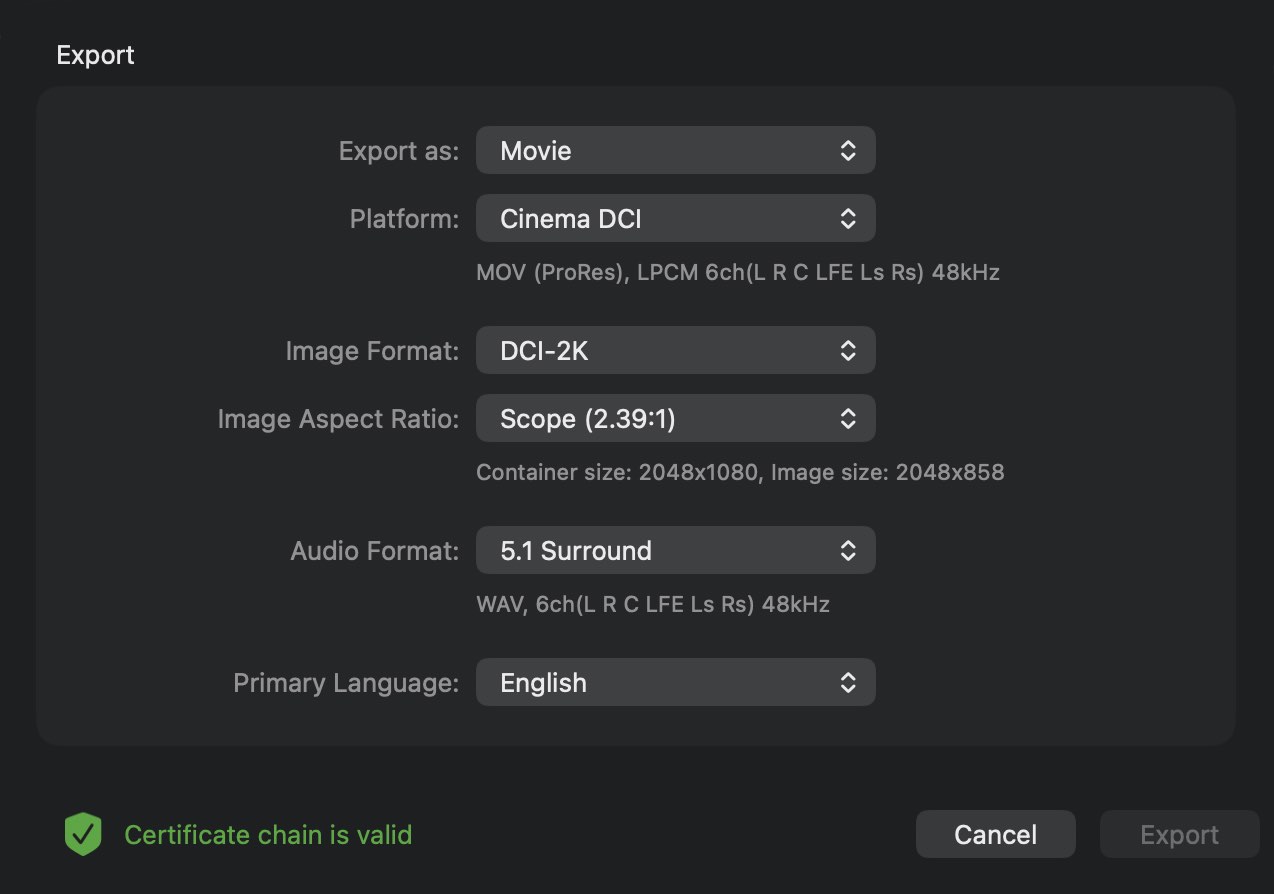
Master for any screen

Editor produces a distribution master — .ctrlmovie / .ctrlpack — that feeds the rest of the CtrlMovie pipeline: shipped apps for mobile and console, the CtrlMovie streaming platform, and the companion Packager app, which turns the master into a DCI-compliant DCP for theatrical release.

  • Encrypted distribution master with managed key handling
  • Asset pre-flight before export
  • Separate "review render" of a timeline, with watermark burn-in, for sending cuts to external reviewers
  • Burn-in subtitles per language
Export dialog with format and asset options

From rough cut to release.

Everything you need to ship a branching film lives in one window — and every change is undoable.

01

Drop in assets

Auto-discover video, audio and images from disk. Editor organizes them per episode and warns on conflicts.

02

Draw the story

Wire segments and branch points on the graph. Use Lua conditions when you need variables, traits, or collectables.

03

Cut the timeline

Trim picture, drop in audio tracks with volume curves, position subtitles and decisions to the frame.

04

Simulate

Play it in the built-in simulator. Test multiplayer from phones with a QR code, no build pipeline.

05

Validate

Let the validation engine surface missing assets, dead ends and broken conditions before export.

06

Master & ship

Export an encrypted distribution master for mobile, console and streaming — or hand it to Packager for a DCI-compliant DCP.

Pro pipeline, no surprises.

Editor is a native macOS document-based app. Files are portable, undo is bottomless, and projects scale to feature-length stories.

Frame rates

23.976 · 24 · 25 · 29.97 fps

Image formats

Full HD · UHD · 2K · 4K

Audio

1.0 · 2.0 · 5.1 · 7.1

Targets

Cinema · Mobile · Console · CtrlMovie streaming

Bring your branching project to CtrlMovie.

Editor is licensed per production. Get in touch and we'll set up a contract, provision your license, and onboard your team on the full CtrlMovie pipeline — Editor, Packager, the streaming platform and the mobile/console SDKs.

Contact us