Write branching screenplays.

From first idea to locked script.

CtrlMovie Creator is the macOS screenwriting application for interactive films. Write the script as a storyboard of segments that branch where the audience decides — screenplay text, decisions and the logic behind them all live in one document.

macOS 26 or later · Licensed per production
CtrlMovie Creator project window with navigator, storyboard canvas and inspector

Version 3.0.1

Released Yesterday | 140.5 MB | Requires MacOS 26.0

  • A new look. The window, toolbar, sidebars and canvas are redrawn for macOS 26, with a new app icon.
  • Reader. Play opens a reader window beside your project, where you read the script decision by decision. Walkthroughs are kept as paths and outlined on the canvas, and edits appear in the open reader.
  • Script Share. Readers read your script in the browser, on desktop or phone. A script keeps its versions under one title, each reader stays on the version you gave them, and a team can share a script with you.
  • Feedback. Readers leave notes on the text and share their paths. Both appear in a new Feedback tab, with the notes marked on the canvas.
  • Sounding Board. An AI assistant in the sidebar that reads your project and can edit it. It works with Claude or a local Ollama model.
  • Drafts & Revisions. Coloured revisions mark what changed, scene numbers can be kept or locked, and a script can be locked against editing.
  • Canvas. Segments can be split and combined, arrows are routed more tidily, and saving is much faster on large projects.
  • Search. ⌘F searches as you type, marks every match on the canvas, and covers actions, conditions and button titles.
  • Quick Look. Finder previews ISX files, including backups.
Contact us Full Version History
Download

Demo Content

May include samples projects, manuals and documentation.

One script. Every path.

Creator brings together what interactive writing usually scatters across a screenwriting program, flowcharts and spreadsheets: the screenplay, the branching structure, the story logic, read-throughs, reader feedback and revisions.

Screenplay on a storyboard

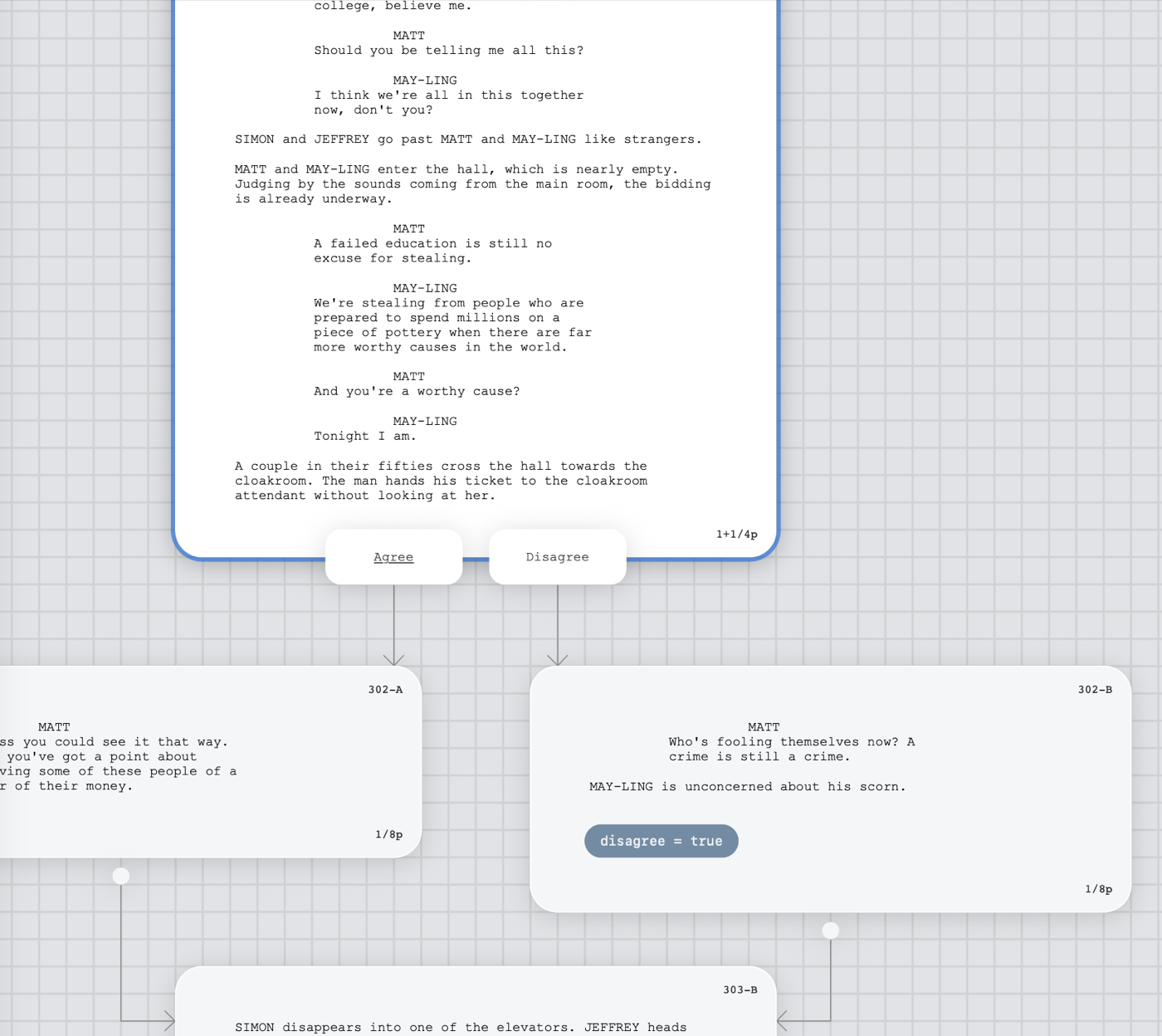
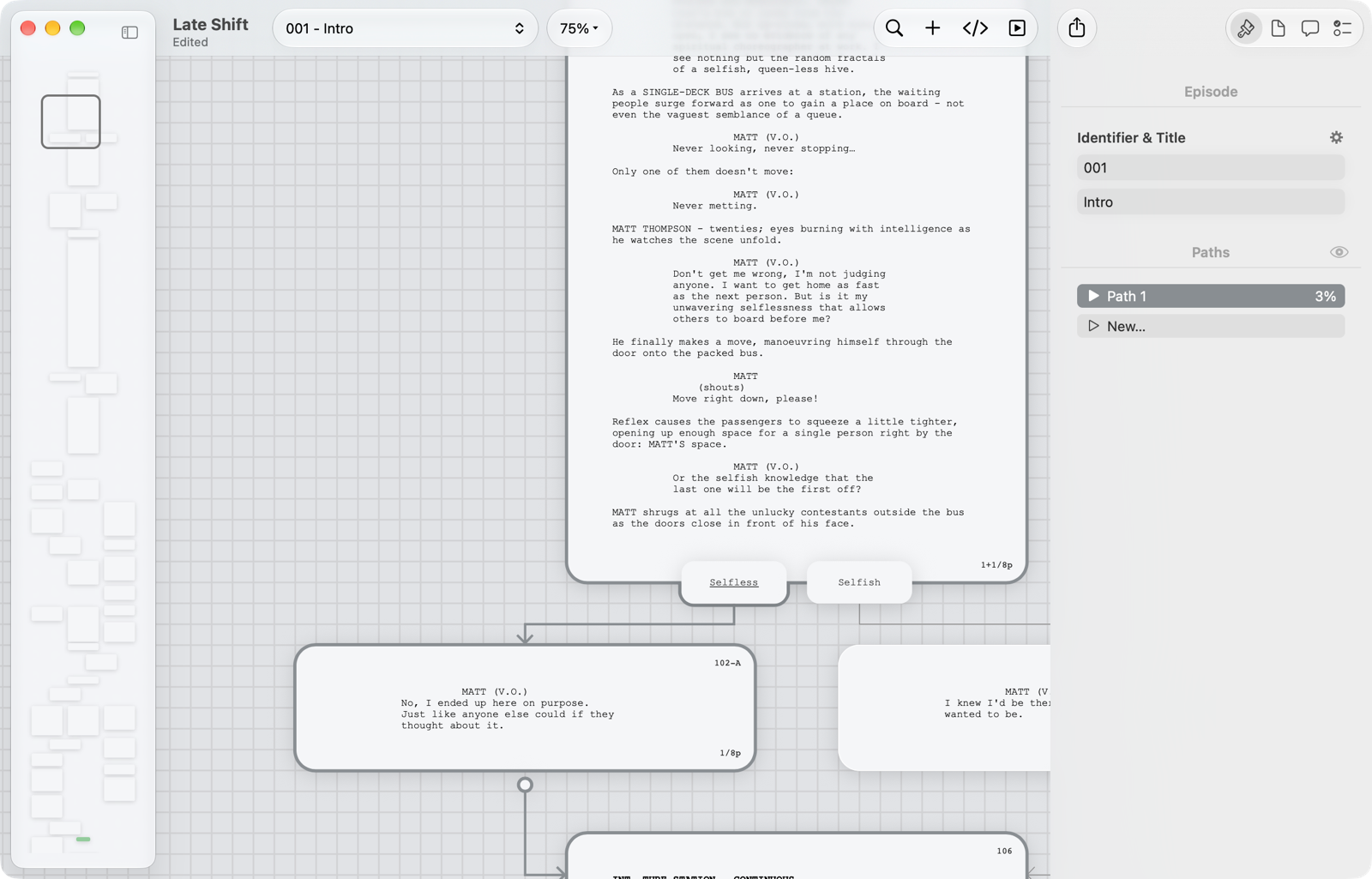
Each episode is a canvas. Segments hold screenplay text in the standard elements — scene heading, action, character, parenthetical, dialogue, transition and shot — and arrows show where the story goes next. Return and Tab move between elements the way screenwriters expect.

  • Up to five decisions per segment, plus a default action when nobody chooses
  • Episodes, leaps and episode ends keep large stories readable
  • Latin, Chinese, Japanese and Korean script layouts
  • Focus Mode for writing one segment at a time
Segment with two decisions, each with an arrow to the segment it leads to

Stories that remember

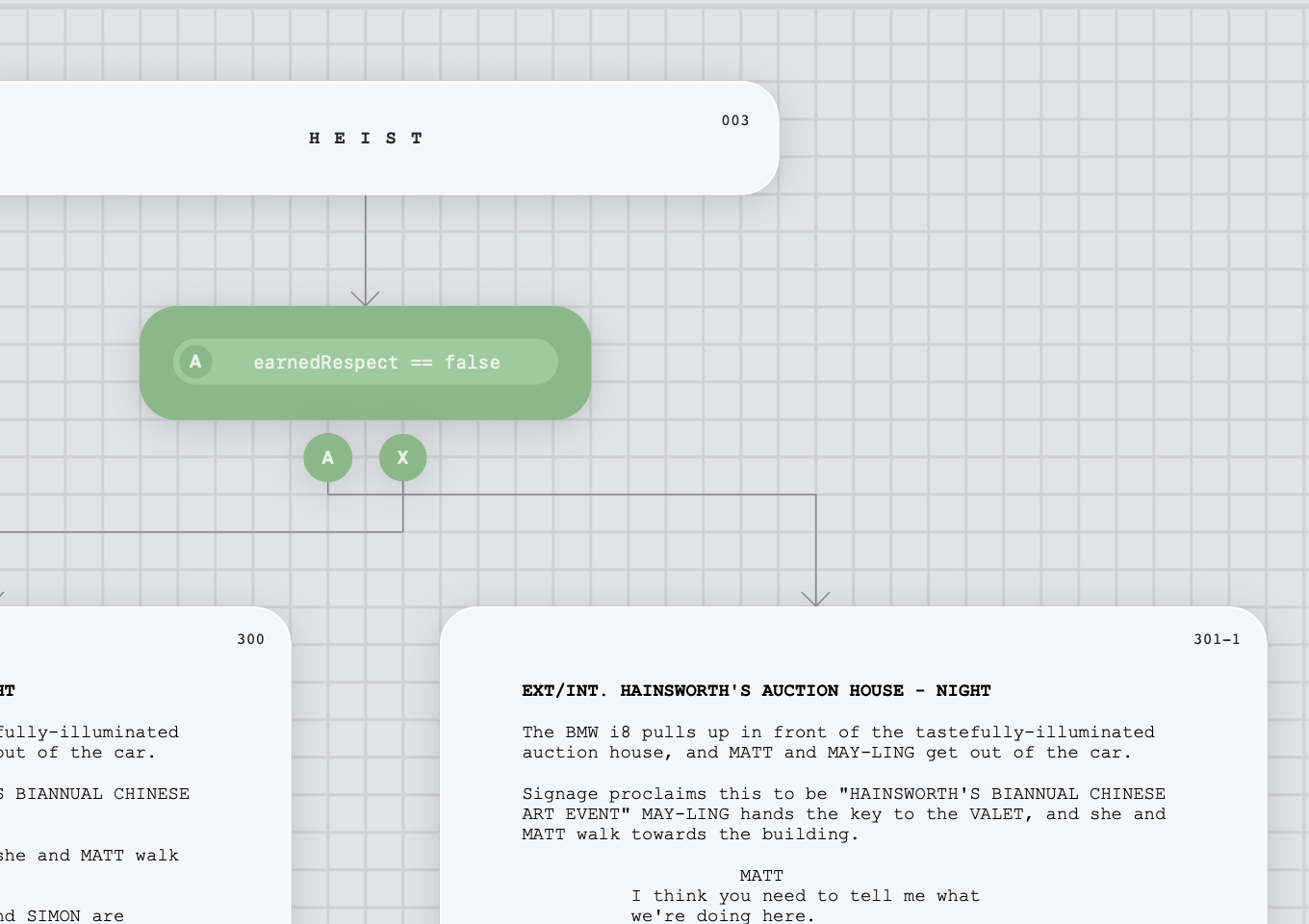
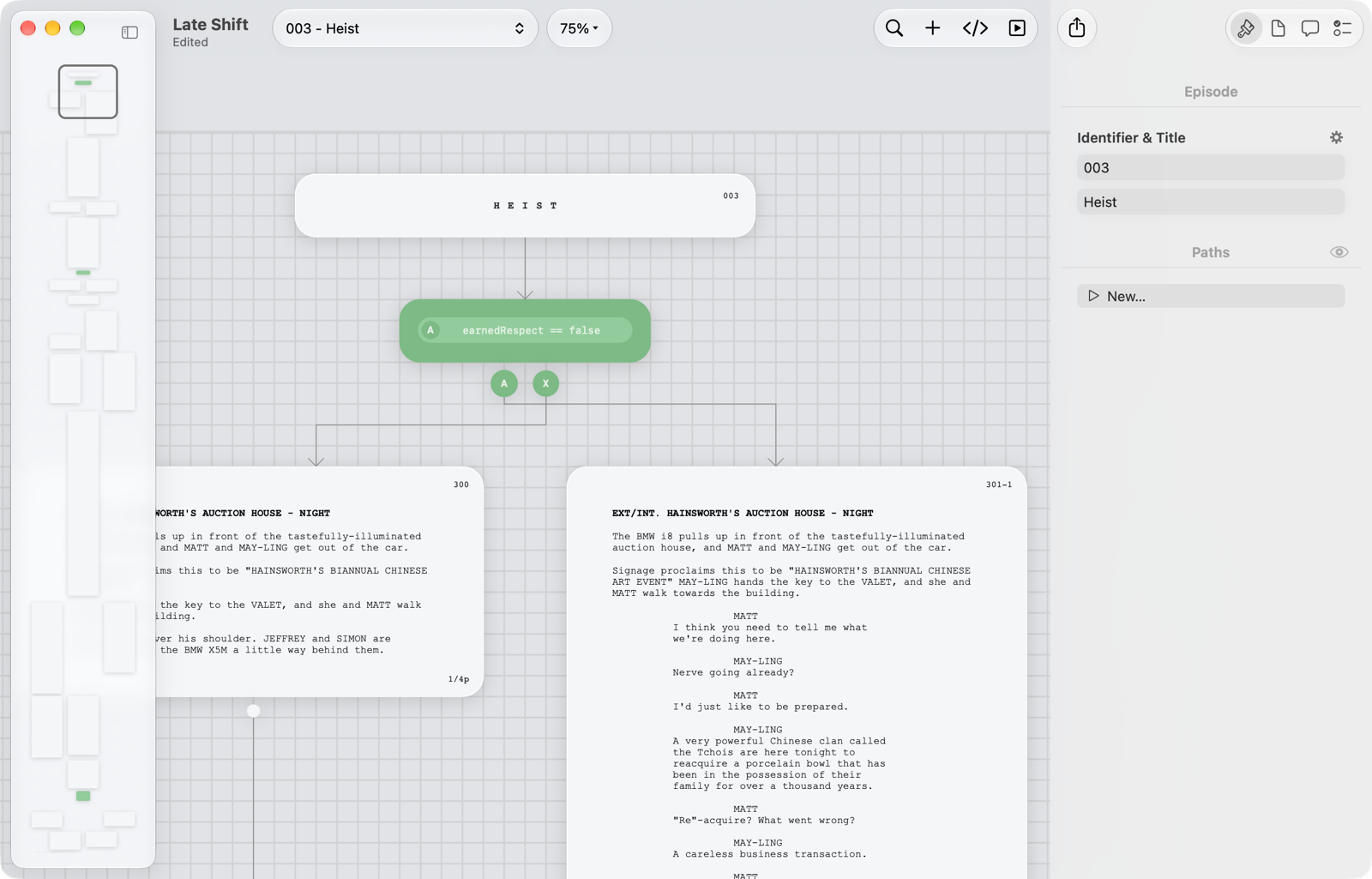
Variables record what the audience chose; conditions let the story react to it later. Set a variable when a segment starts, offer a decision only while its condition is true, or let a conditional branch point route the story without asking anyone.

  • True/false, number and text variables
  • Conditional branch points with up to five conditions and a fallback
  • Lua scripts for anything computed, such as counters
  • Lua editor with a variable palette and live syntax check
Episode starting with a conditional branch point that leads to two segments

Read it like the audience

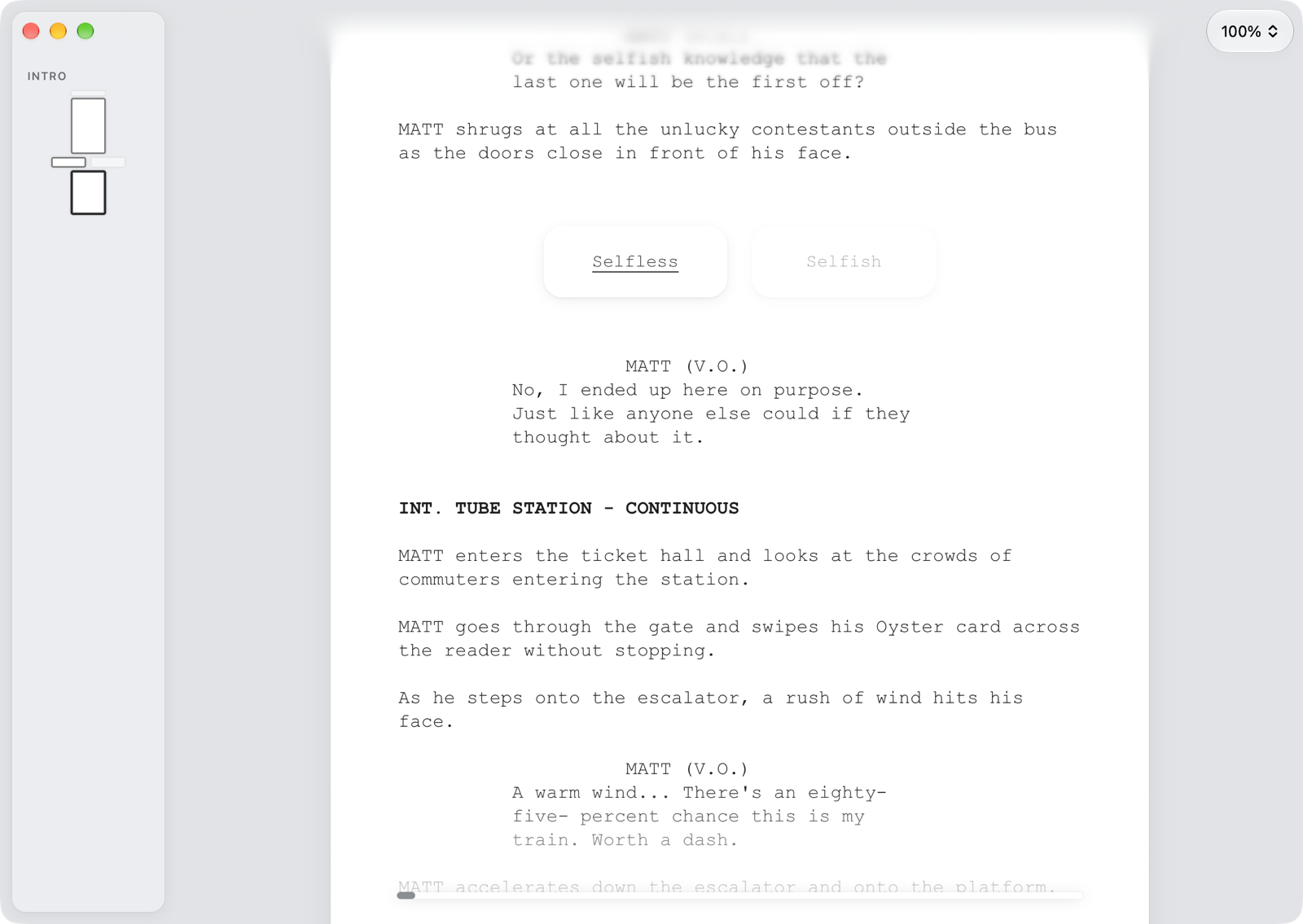
The reader turns the storyboard into one continuous screenplay that stops at every decision. Make a choice, change your mind at an earlier one, and keep each walkthrough as a named path. The reader follows your edits while you write.

  • Start at the beginning or at any segment
  • Paths outlined on the canvas: segments read, decisions taken, arrows followed
  • Progress bar with the minutes read so far
Reader window with a decision taken and the script continuing below

Know the script holds together

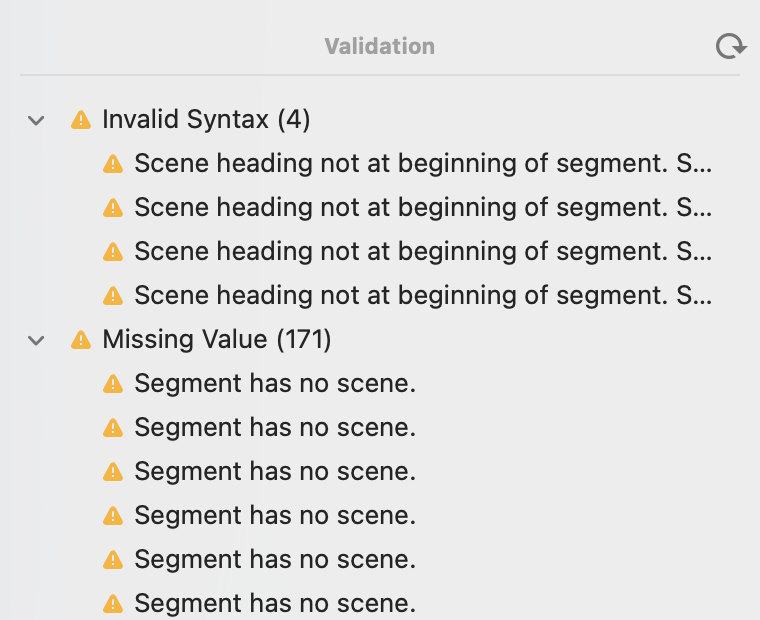
Validation lists what would stop a read-through — a decision without an arrow, an episode without a start, a condition that cannot be read — and a double-click takes you to the object. Analyze then plays the script through 100 times with random decisions and reports how long it runs.

  • Minimum, mean and maximum running time and number of decisions
  • Share of walkthroughs that pass through each segment
  • Value statistics for the variables at any branch point
Validation pane with grouped warnings

Share scripts, collect feedback

Script Share invites readers by email to read a version of the script in their web browser, decision by decision. The script file itself is never handed out. The notes and paths readers choose to share come back into Creator and are marked right on the canvas.

  • Versioned uploads; every reader stays on the version they were given
  • Secure log-on with one-time links; suspend or revoke access at any time
  • Teams: co-writers see the readers and their feedback on the same script
A reading path outlined on the canvas and listed in the inspector

An assistant that knows your script

The Sounding Board is an AI assistant in the sidebar. It knows how a CtrlMovie script is built and reads the one you have open. Ask it about the story, have it draft or rework scenes, or let it build structure for you — segments, decisions, branch points and variables.

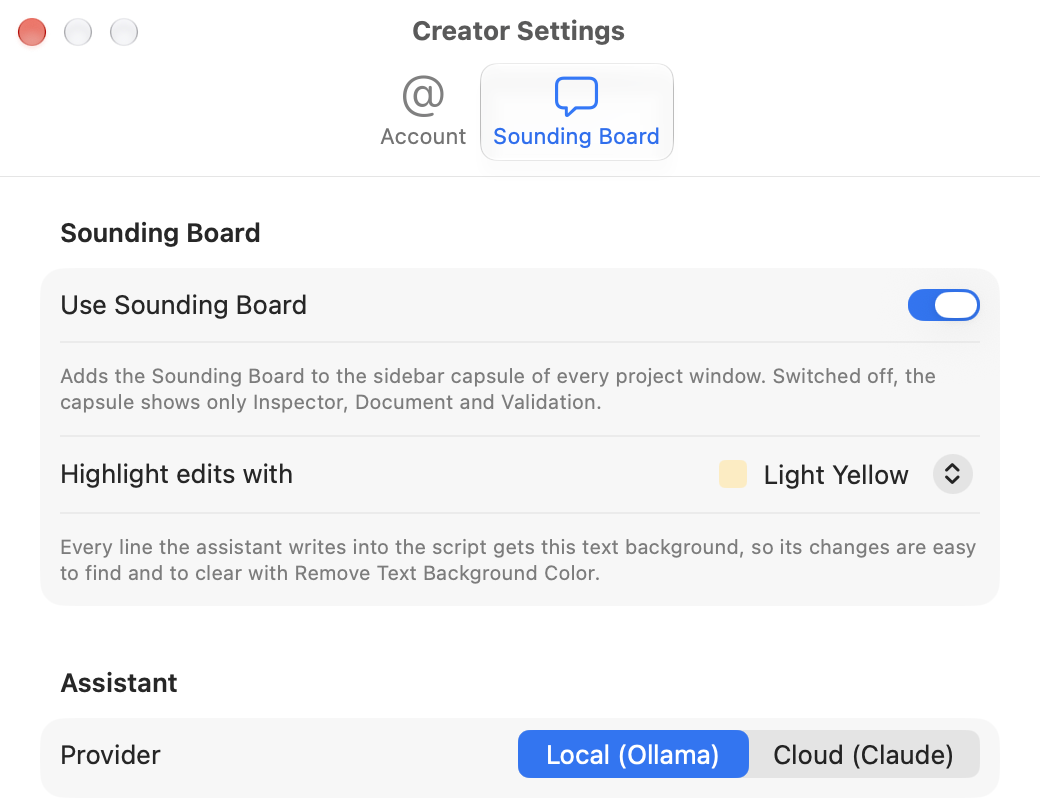
  • Everything it writes is highlighted, so you see at a glance what is not yours
  • Runs locally with Ollama or in the cloud with Claude
  • Standing instructions for your own rules
  • Link a CtrlMovie Atlas file as its knowledge base
Sounding Board settings with highlight colour and provider selection

Ready for production

Creator tracks where the script stands, from the first draft through the coloured production revisions to the continuity script. Lock a version when it goes out, keep scene and segment numbers stable, and pass the script on in the formats a production expects.

  • Revision marks: underlined changes, asterisks and colour bands
  • Final Draft (FDX) import and export
  • PDF export with watermark and password protection
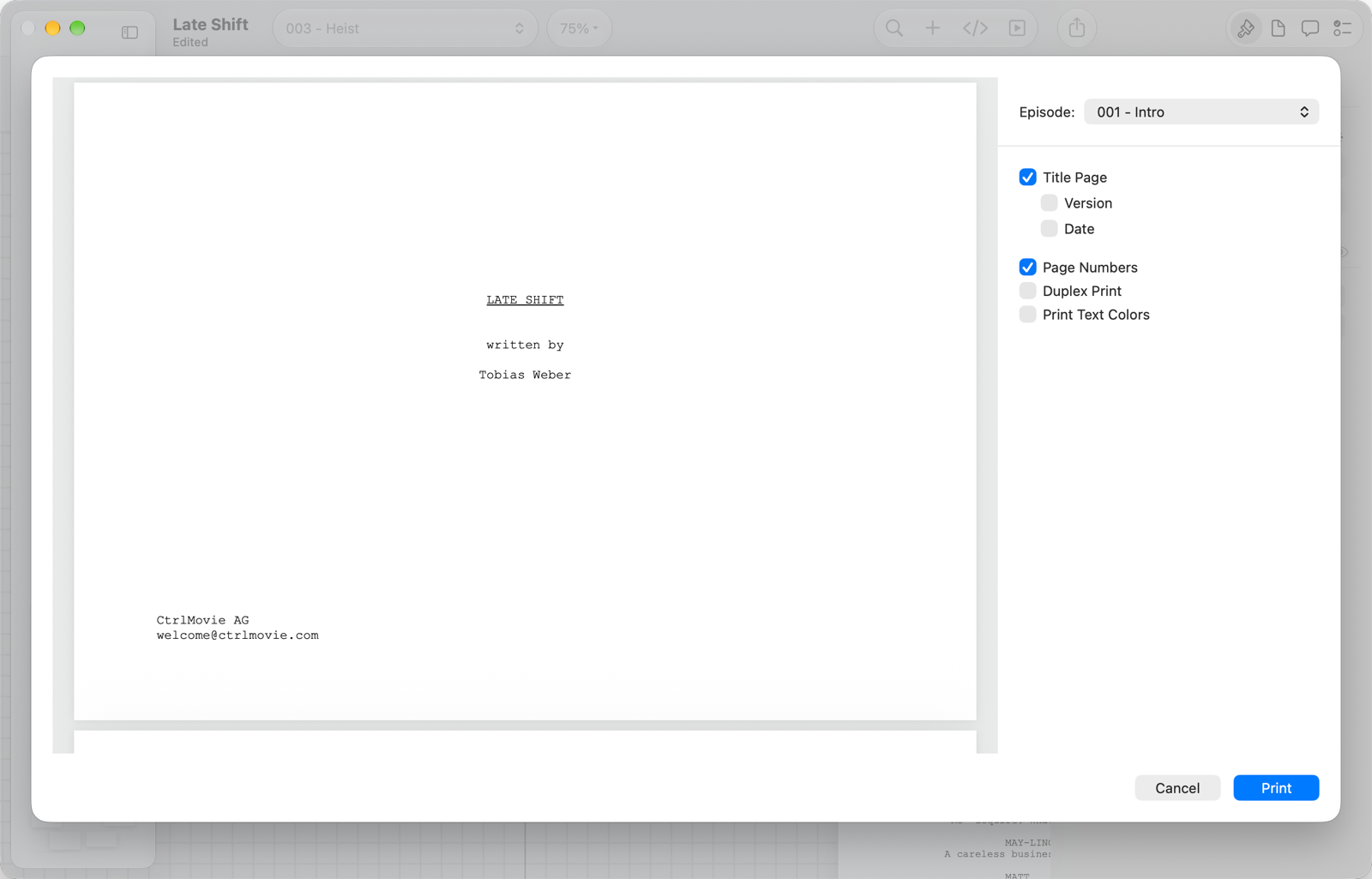
  • Print the storyboard with title page, page numbers and duplex margins
Print sheet with preview, episode selection and options

From blank page to locked script.

Everything it takes to write a branching film happens in one window and one document.

01

Set up episodes

Create a project, add episodes and choose the script layout and language.

02

Write segments

Write the screenplay segment by segment, or drag scenes in from a Final Draft file.

03

Add decisions

Give segments decisions and a default action, and draw arrows to where each one leads.

04

Add logic

Use variables, conditions and branch points so that earlier choices have consequences later.

05

Read & check

Read the script in the reader, validate it and analyze its running times.

06

Share & revise

Send a version to readers, work through their notes, then lock, export and print.

A native Mac app for writers.

Creator is a document-based macOS app. Every save keeps a backup, scripts can be saved with a password, and Quick Look previews a script right in the Finder.

Files

.isx · .isxp · .fdx · PDF

Script layouts

Latin · Chinese · Japanese · Korean

Story logic

Decisions · Variables · Lua

Assistant

Claude · Ollama

Start writing your interactive film.

Creator is licensed per production. Get in touch and we'll set up your license and get you and your team writing.

Contact us