CtrlMovie Packager turns a finished film into a Digital Cinema Package (DCP), the delivery format of digital cinemas. It takes a Packager master rendered by CtrlMovie Editor, or a linear QuickTime movie, encodes picture and sound into MXF track files and writes the composition playlists, packing list and asset map — with encryption and key delivery in the same project.
macOS 26.6 or later · Apple silicon recommended
Released 2 hours ago | 30.3 MB | Requires MacOS 26.6
A project holds the sources to encode, the packages to build with their language variants, and the Key Delivery Messages for the cinemas. Encoding, packaging, encryption, signing and key delivery happen in one window.
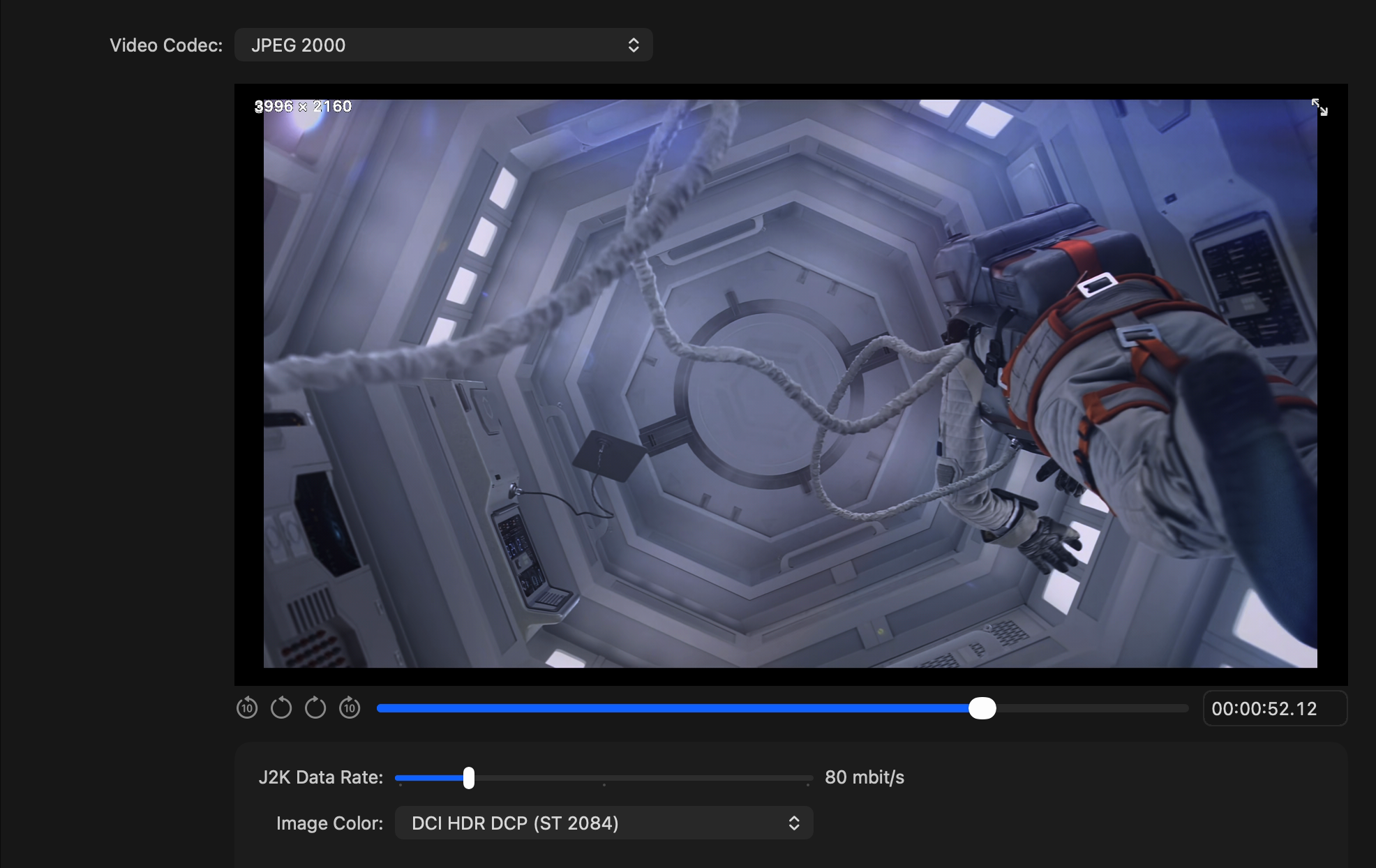
Choose the video codec per source: JPEG 2000 for a DCI DCP that plays on any DCI-compliant cinema server, or Apple ProRes for CtrlMovie cinema players. The preview shows the frame as the codec delivers it, with compression and crop applied.
The JPEG 2000 encoder is built for the Mac. On Apple silicon, colour conversion and the most demanding stage of the compression run on the GPU with Metal, and several frames are encoded at the same time. The result is a standard DCI picture, just finished sooner.
On a Mac with M4 Max, a DCI 4K frame at 250 Mbit/s takes about 95 ms instead of 1270 ms. A whole encode runs at about 60 frames per second: faster than real time, and about seven times the speed of the standard OpenJPEG encoder on the same Mac.
Measured by CtrlMovie on a Mac with M4 Max: 3840 × 2076, 12-bit, 250 Mbit/s, 12 frames encoded concurrently.
Reported by users of other DCP tools, on other hardware and with other settings; not directly comparable.
Sources: DCP-o-matic forum, March 2023 (Mac Studio Ultra, 4K Flat, 200 Mbit/s) and March 2025 (Grok GPU encoder, 4K).
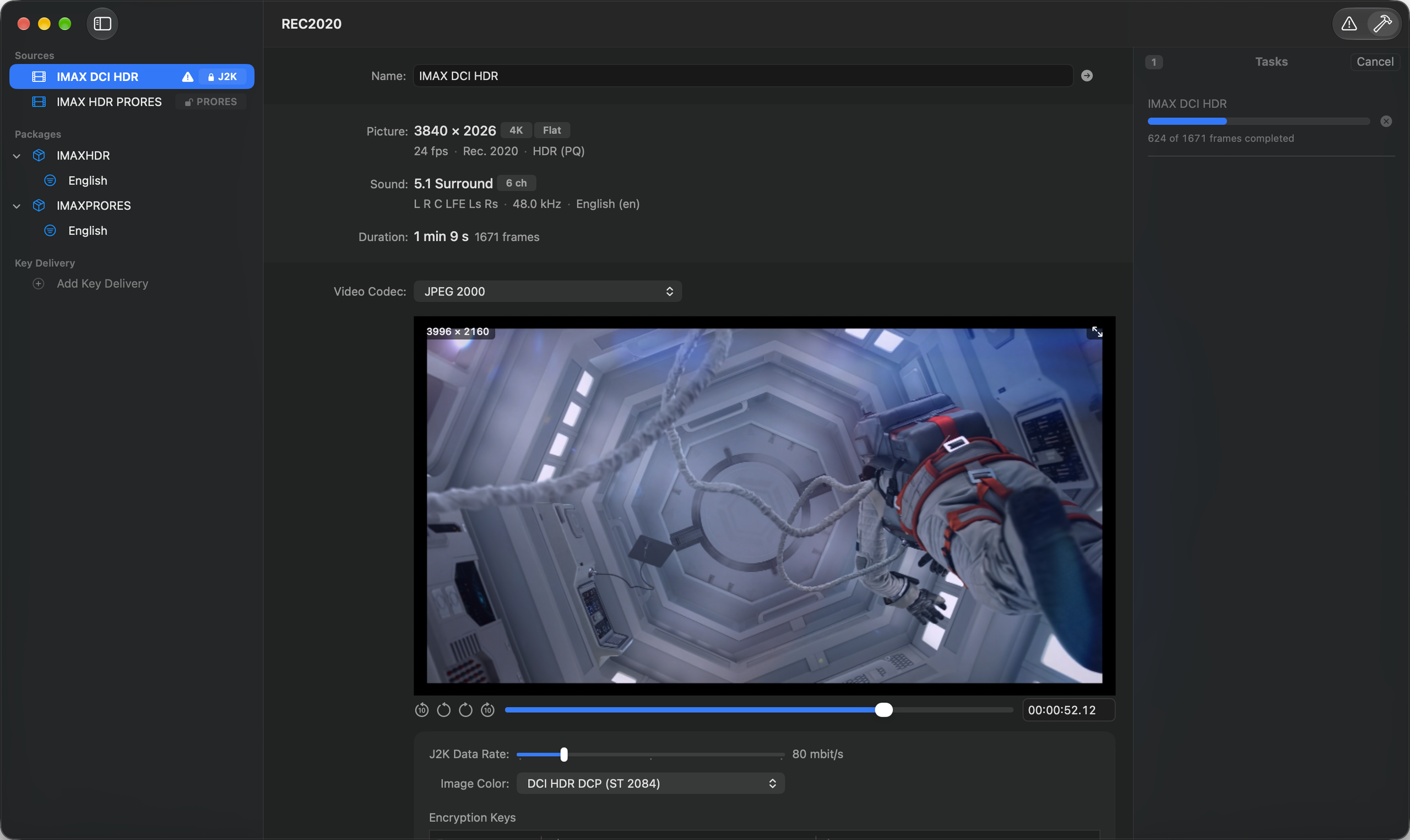
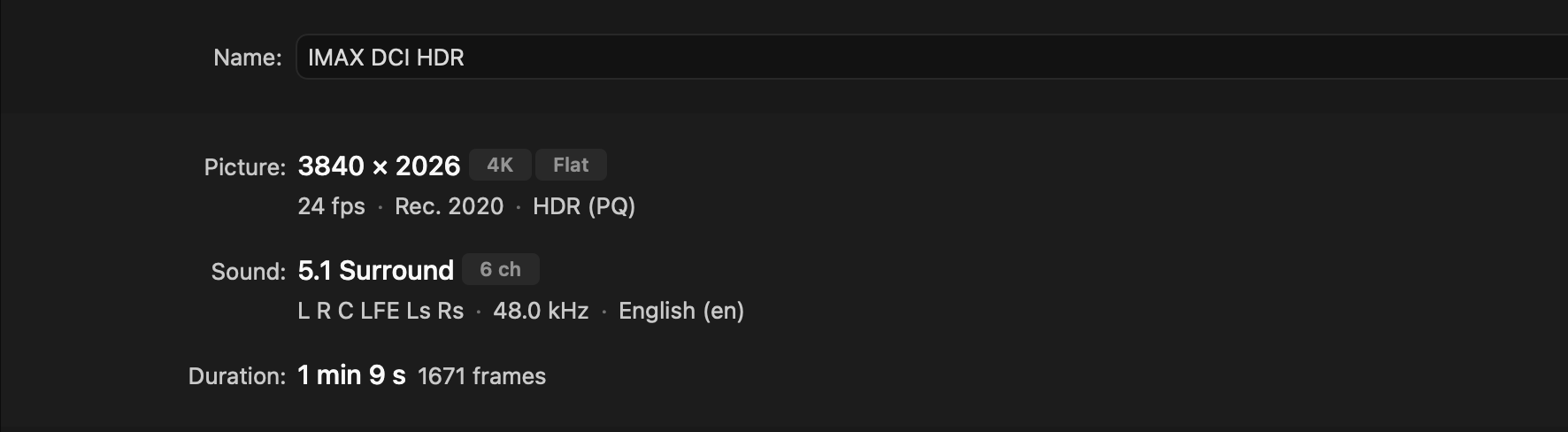
Packager reads HDR masters in PQ and HLG together with their mastering display metadata. Deliver them as a DCI HDR DCP according to the DCI HDR Addendum, or let Packager tone map them into a standard SDR DCP.
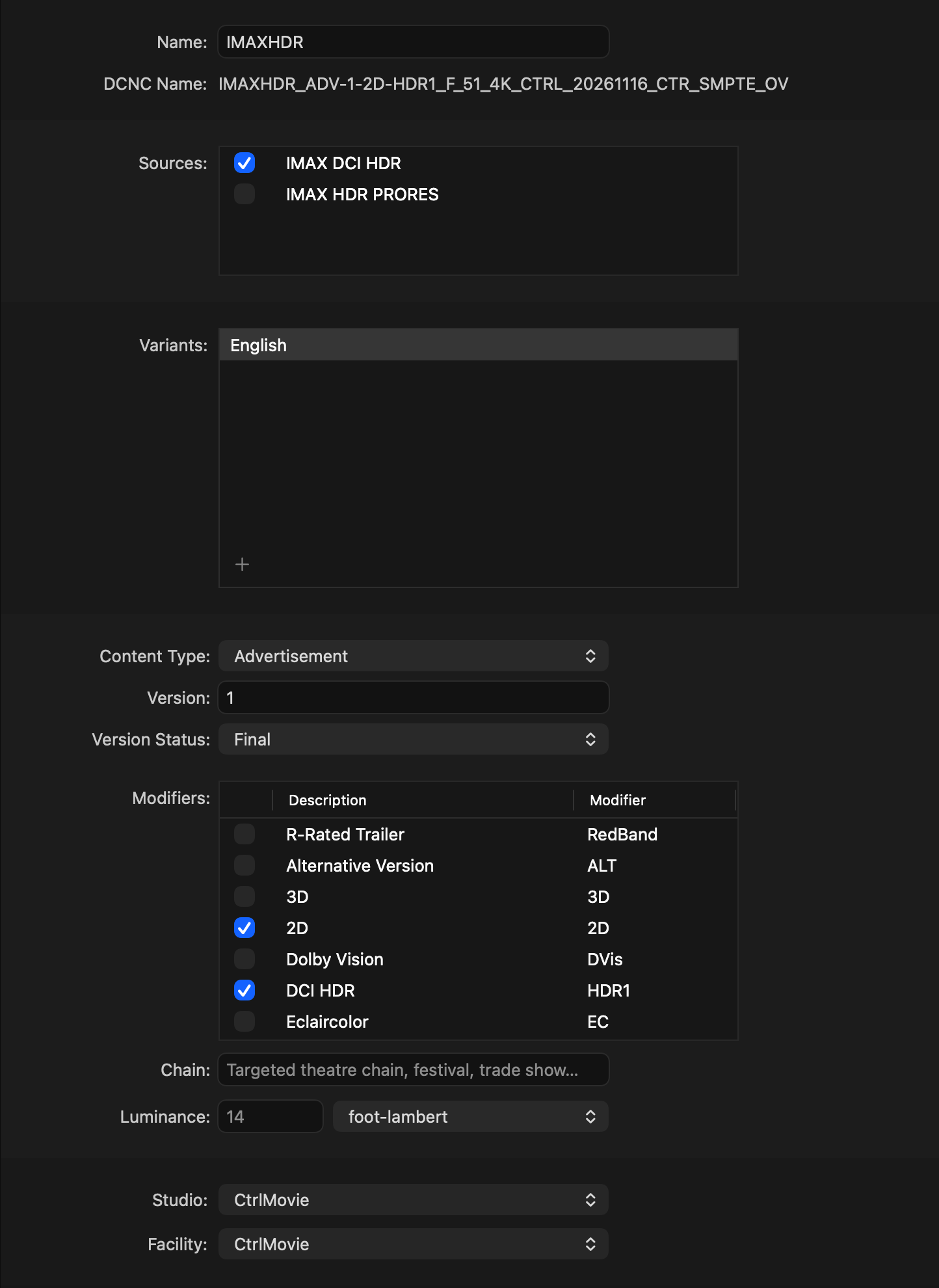
A package describes a DCP: which sources it contains, its content type, version, studio and facility. Each variant is one language and territory version and is exported as its own DCP folder.
For every variant you set the audio and subtitle language, the territory, and the rating together with its rating agency. Packager composes the DCNC name of each variant from these settings, so every cinema gets the version made for its market.
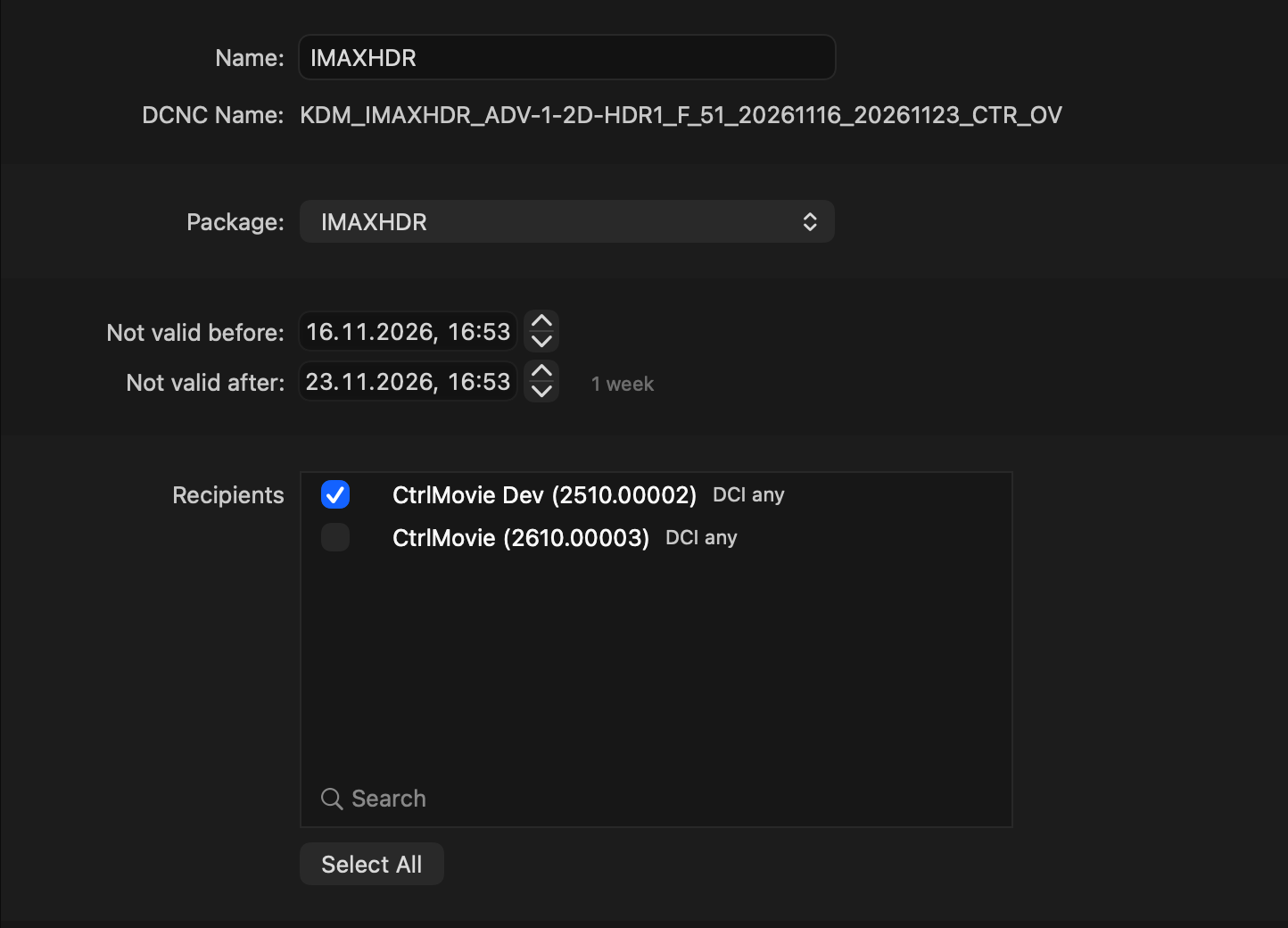
Add a picture key and a sound key to a source and the DCP is encrypted. Packager signs it with your certificate chain and creates Key Delivery Messages (KDM) for the playback devices of your recipients.
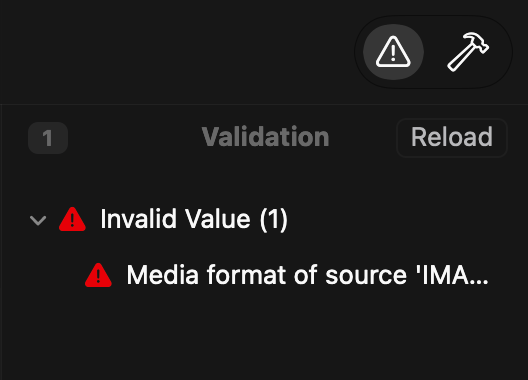
The pre-flight check goes through every source, package, variant and Key Delivery Message and lists what it finds. Click an issue to jump to the entry that causes it.
Six steps, one project.
Drop a Packager master from CtrlMovie Editor or a QuickTime movie into the project.
Pick codec, data rate and image colour, and judge the result in the preview.
Set the asset location and let Packager write the picture and sound track files.
Select the sources, add a variant per language and territory, and fill in the naming.
Optional: add content keys and create Key Delivery Messages for your recipients.
Resolve every error, export the DCP folders and check them with CtrlMovie Inspector.
Packager is a document-based macOS app. Projects reference your films instead of copying them, encoded assets can be reused for further exports, and the app keeps itself up to date.
Sources
.ctrlmovie · .mov
Picture
JPEG 2000 · Apple ProRes
Containers
2K · 4K · Flat · Scope
Frame rates
24 – 60 fps
Get in touch and we'll set up your Packager license and get you and your team started.
Contact us